Mini-Review MSI Wind NB
May 30th, 2008 by Joanna Stern
Look what the Wind blew in . . .
Updated: Check out our full review of the MSI Wind.
Yesterday CNET UK let the cat out of the bag and released an early hands-on with the MSI Wind NB. We concur with CNET UK: the MSI Wind is one kickass system. I have been playing/testing the Wind for the last week and putting it through its paces.
We are restricted from talking about the system’s chipset and its resulting performance until the NDA breaks on June 3 at 4:00 a.m. (EST), but we are allowed to detail our first impressions of the hardware and the system itself.
Stay tuned for our full review of the system, but in the meantime check out our hands-on video of the system and the large gallery of images.
Larger Footprint and Screen
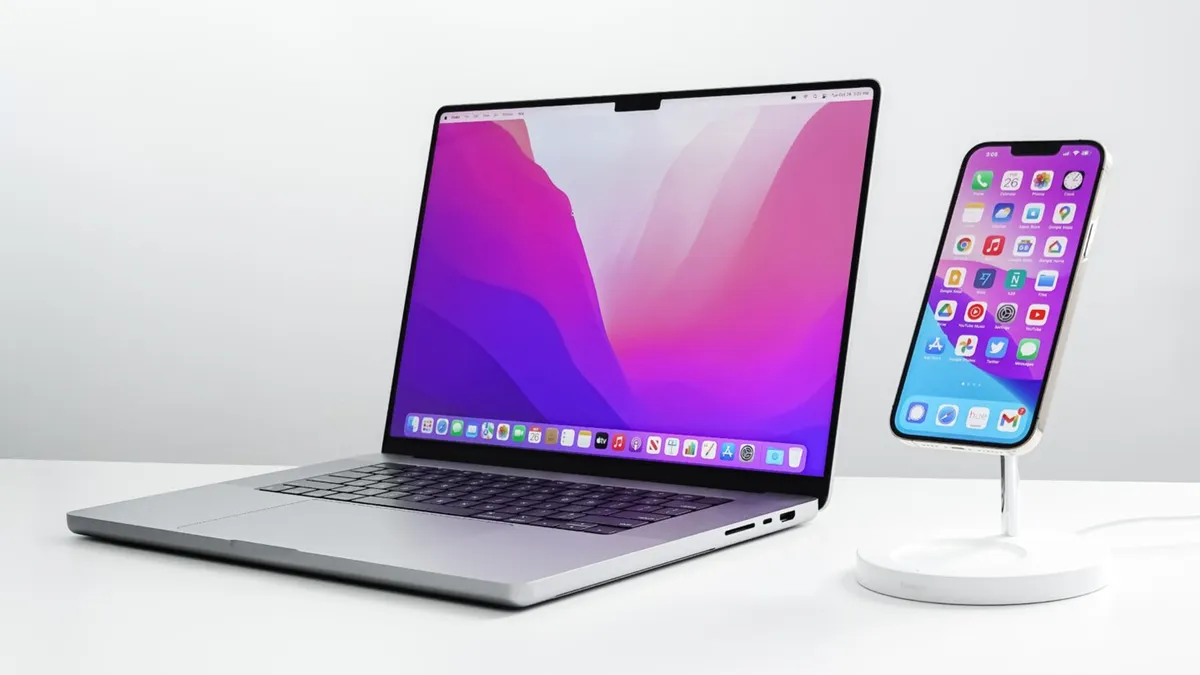
At first sight, the pearl white MSI Wind looks like an Apple MacBook. Its minimalist design and rounded edges scream Apple. However, the system also looks strikingly similar to the white ASUS Eee PC, though it’s a bit bulkier, thanks to the Wind’s 10-inch screen. Measuring 10.23 x 7.08 x .74-inches and weighing just under 3 pounds, the Wind’s footprint is a tad bulkier than the other mini-notebooks we have seen. It is still very small notebook and easily fit in my shoulder bag.
The 10-inch screen is a sheer pleasure. If you thought 8.9 inches gave the Eee PC some much-needed space, the Wind’s 10-inch screen is like spending the night in a king-size bed. (Ahh, so spacious!) I have been able to work on this blog post on one half of the screen and open GIMP to edit pictures on the other half. I haven’t had to scroll horizontally through any Web pages; windows and Web sites all fit to size.
A Full-Size Keyboard
Below the spacious screen is an adult-size keyboard. If the Eee PC’s keyboard is a one-bedroom apartment, the Wind’s is a mansion. The keyboard is very spacious and doesn’t require me to type in a hand-puppet shape. The matte keys aren’t as soft as the HP Mini-Note’s, but they provide solid feedback.

My one complaint about the Wind’s hardware is its small trackpad. Measuring 2.0 x 1.7 inches, the trackpad on the Wind is disappointingly small and similar to that on the Eee PC 4G; it requires a bit of backtracking.
The mouse button, a single bar that serves as a left and right click control, is also less than ideal. It lacks a divot to separate the buttons, feels mushy, and requires a firm press. Since the system sports Bluetooth 2.0, I’ve been navigating with a Bluetooth mouse.
Smooth XP Navigation
Our review unit is preloaded with Windows XP Home and is priced somewhere in the $500 range —a pretty sweet deal, if you ask us (MSI has told us we’ll be getting a more official price next week). I am enjoying running XP on the system, and all the standard XP software is preloaded. A $399 SUSE Linux version will also be available.
The system has 3 USB ports, mic and headphone jacks, an Ethernet port, a 4-in-1 card reader, and a VGA port. It was a snap to hook up to my 19-inch Dell monitor to the system.
As far as the Wind’s hardware goes, we are seriously impressed. As for performance, here is a hint, it is equally, if not more, impressive.
More MSI Wind Coverage:
- Full Review: MSI Wind
- Gaming on the MSI Wind
- MSI Wind Boot Test
- Touch Typing on the Wind
- How to Upgrade the Wind’s Hard Drive
- How to Add RAM to the MSI Wind
- Upgrading Voids Wind Warranty
- Temperature Test: Is the Wind as Hot as Other Mini-Notebooks?
Our Related Content
- Hannspree's HannsNote Netbook Looks Familiar...
- Netbook Madness Game 10: MSI Wind U100 vs. Asus EeePC S101
- Your Love Could Win You an MSI Wind
From Other Sites
Related Deals
- Lenovo IdeaPad S10-3t 10.1" tablet netbook with capacitive touchscreen display, Intel Atom N470 1.83GHz processor, 2GB RAM, 250GB hard drive, and 802.11b/g/n.
- Gateway EC5409u 15.6 Laptop, Intel Pentium SU4100 1.3GHz, 4GB, 320GB HDD, HDMI Port, Webcam, Windows 7 Home Premium 64-bit in Blue Brushed Aluminum.
- HP ProBook 4710s FN088UT 17.3-Inch Core 2 Duo 2.8GHz Laptop $1,099.99 (via LogicBUY)
- Toshiba Mini NB205-N330BL N280 Netbook (blue) $349.99 (via LogicBUY)
- ASUS UL30A-X4 Core 2 Duo 1.3Ghz 13.3-inch Ultra-light Laptop $649.99 (via LogicBUY)
41 Responses to “Mini-Review MSI Wind NB”
Leave a Reply
Featured Sponsors |
|||
|
|
|
|
|


May 30th, 2008 at 8:51 pm
You’ve only whetted my appetite for it now!!
http://mikecane2008.wordpress.com/2008/05/30/joanna-stern-makes-my-heart-skip-a-beat/
Is the keyboard flat? Like Toshiba used to have? I think I could put up with the added size and weight over the e900/901 if the keyboard is good. I’m not concerned about the trackpad. I’d just get a wee BT mouse.
May 30th, 2008 at 11:17 pm
So, where do I submit my application to join you guys in getting free stuff to review? (Of course, I’d be professional about it…*ahem*)
May 31st, 2008 at 2:42 am
The touchpad dosen’t have a scroll-bar?
That would be a dealbreaker for me… sure that you just didn’t enable the scrollbar-option in the synaptics driver settings?
Could you check?
Thanks,
Cunni
May 31st, 2008 at 10:02 am
Joanna did it again.
thanks for this great review
Sascha
eeepcnews.de
May 31st, 2008 at 12:06 pm
In the first 60 seconds of the video I see they’ve seemingly addressed two of my biggest peeves with the small form factor notebooks: cooling (with approx triple the vented case area compared to my 13″ MB + those small raised feet to bring it off a desk surface for more airflow); and a case material that doesn’t retain fingerprints smudges (I really really want my 15 minutes @ week back that I spend cleaning my MacBook. . .I’ve got better things to do (I sware). Great review & a nifty machine.
May 31st, 2008 at 12:10 pm
Looks to be a great review when finished…….How do you access the interior to install more memory, also how are the the speakers sounding?……….Thank You!
May 31st, 2008 at 3:38 pm
I think Apple will come and build the most superior UMPC(or apple computer) in the market. Look at the Mac Book, the Mac Book Pro one of the thinnest laptop in this 15″ segment. Then there is the Iphone. I think the PC later will become the alternative for the Apple, look at the kids these days, a bunch seem to grow up with Apple products.
May 31st, 2008 at 4:30 pm
Steven wozniak: its called the macbook air, and they failed miserably.
May 31st, 2008 at 6:25 pm
The MBA is perfect for some and is a wonder to behold. But here I sit using my 4 yr old 12″ PBG4 wishing I could just get a MOBOtomy for it. If Apple built something like this with Leopard my order would already be in. I’ll bet getting Wind of a Hackintosh.
May 31st, 2008 at 7:41 pm
@Joanna
Nice review. Looking forward to reading the full fledged one
@Mike Cane
Have a look at http://images.msiwind.net/
Currently there are 33 images available and more are being added. I’m sure there are some which give you a good view on the keyboard.
@Jerry
In order to install more memmory you’ll have to unscrew the back entirely, there is no other way.
The speakers are good enough for basic sounds, but for listening to music earplugs are recommended, as could be expected.
Solinx
http://www.msiwind.net – International Wind Netbook Community
May 31st, 2008 at 8:30 pm
Apple is overpriced crap. Only fashion idiots and ignorant people buy their stuff. MacOS is good, but their hardware is like I said. Not worth the money at all.
May 31st, 2008 at 8:36 pm
I hope they hurry cause I have 3 of my kids birthdays coming up within the next 30 days and they are all getting a Mini Laptop. So hurry MSI and Dell or ASUS gets my business. Price will be determining factor and of course they have to have WIFI Camera, adequate RAM to run the OS and some available storage.
May 31st, 2008 at 10:20 pm
Question about the claimed thickness: The .74 inch thick is the thinnest part of the machine, yes? What is the thickness of the thickest? Of the two, that’s what matters.
May 31st, 2008 at 11:21 pm
Buddy there is plenty(PLENTY) of ram to run xp….ram and xp are like two peas in a pod, you only need 512mb of RAM and XP runs as smooth as it can be. Of coure for some more intene stuff, 1gb is good, but unless your a hardcore gamer, 2gb is the max you’ll ever need on XP. Same goes for the Suse(or any other linux for that matter.
As for the price, this is one heck of a deal! Seriosly would you rather pay $599 for an eee pc 900 or a mere $399 for an obviously better machine. One things for sure, the second i get this, ubuntu’s getting installed(well if the apropriate drivers are availible that is).
May 31st, 2008 at 11:38 pm
Since somehow Apple came up, I feel somewhat compelled to say that, if Apple ever were to release an “obvious” device such as this, which obviously we want (Apple has a way of dictating what they think consumers want, to varying degrees of success), I would pay up to an additional Leopard license more than I would pay for a no-OS version. That is, for identical hardware, I’d consider paying 529 USD for such a device that I’d normally get Linux on for 399. I am currently not considering getting the windows version of this, regardless of hardware differences.
-Linux user since 2002, OS X user since 2000, Win/DOS user since 1988.
June 1st, 2008 at 12:44 am
Apple flunked grossly with MBA. Apart from kids, who spend their parent’s cash, no professional would even consider it. Thinnes is a joke, form factor is what matters – you won’t fit MBA into a purse, while it works like charm with EEE PC, HP Mini-note, and hopefull MSI Wind. MSI wind may be exactly at the sweet spot price/feature wise, and I only wish that they’ll be able to satisfy the demand on this.
June 1st, 2008 at 1:11 am
How does this compare to the new HP mini-pc? I am considering small notebooks, also small tablets. I wish someone would come out with a tablet this small with the Wacom pen enabled screen. That would be a great blogger pc, mobile, browse, clip, annotate, write, publish. I’ve been considering building one of my own, bluetooth mouse and keyboard, Cintiq screen, leave the motherboard, drive, and battery in the bag, or whatever I decide to put it in, have been thinking of gutting an vintage portable radio, something from the 50s, and putting the motherboard, drive, battery, etc… into it.
June 1st, 2008 at 8:04 am
@marketblog.com, Fujitsu has the P1620 which is a Tablet PC like you want. It will cost you, though.
http://jkontherun.blogs.com/jkontherun/2008/02/first-impressio.html
June 1st, 2008 at 8:56 am
It is quite pretty mini NB. It is just what I want.
June 1st, 2008 at 9:12 am
Someone please take these comments onboard.
Give me:
- 8.9 / 10″ screen
- a resolution better than 1024×600
- 2 usb ports
- backlit keyboard
- no vga port
- 2gb max capacity
- 32gb ssd
- 8 hours battery life (under full load)
- ubuntu or fedora linux
- wifi n
- nice sized keyboard (like the wind)
- multi-touch pad
- under 2.5 lbs
- thin and well vented
you dont need anything more or anything else.
- you dont need more than 2 usb ports
- you dont need a vga adapter
- you dont need more than 32gb HD space (80 is overkill here)
- 1024×600 is nice but a little bit higher would be better
- you dont need a cramped keyboard
- you dont need a touchpad like the wind
why is making a ultra-portable so hard here?
June 1st, 2008 at 10:54 am
I posted a link to a youtube video where they show the touchpad being used as a scrollbar tool.
I’m curious why it was removed?
June 1st, 2008 at 11:17 am
isn’t the hard drive replacable on this thing?
June 1st, 2008 at 11:24 am
I have to agree with cunni here. Not being able to scroll on the touchpad seems like a really small and stupid thing not to include. It would also be a deal breaker for me too, which is such a shame considering I have been waiting for a laptop like this for quite some many years now. Can someone check again to see if this is actually accurate, or at least tell us what drivers the touchpad users and that way we can figure out ourselves if we can scroll or not.
June 1st, 2008 at 11:31 am
@Paul
No VGA, are you kidding? No touchpad, why?
You should set up your own laptop company and go bankrupt.
mesohorny
June 1st, 2008 at 11:45 am
^that would be expensive: ssd, higher resolution (not common in this size screen yet, ergo more expensive), 8hr batterry under full load requires either a bulkier battery or a weaker system, wifi n is a big power drainer and isn’t nearly as cheap as the older-yet-adequate (about) “G” technology, and multitouch? really? the mouse pad is already cramped with one finger on it.
June 1st, 2008 at 12:13 pm
Any word on whether the MSI gets hot like the mininote?? Or whether the fan is noisy???
C
June 1st, 2008 at 2:02 pm
How long does it take to boot into XP?
June 1st, 2008 at 2:31 pm
The fan doesn’t start untill the temperature reaches 55 degrees celsius. Other reviews have shown the temperature while idle is around 30 degrees, which is just a small bit cooler than the Asus EEE.
And even when active, the fan is reported to be silent.
What you will be hearing more is the harddrive’s spinning, which won’t trouble you if you take an EEE with it’s SSD.
Solinx
http://www.msiwind.net – International Wind Netbook Community
June 1st, 2008 at 2:46 pm
“Not being able to scroll on the touchpad seems like a really small and stupid thing not to include.”
Doody, a msiwind.net member who had the Wind for review too, rather says it is possible to scroll on the touchpad, just that it misses any visual indication for it.
Another member mentioned seeing a video that shows the touchpad being used to scroll.
Yet another member added that scrolling on the touchpad is possible with any laptop, as long as you get the proper drivers for your OS.
Solinx
http://www.msiwind.net – International Wind Netbook Community
June 1st, 2008 at 2:53 pm
“(Ahh, so spacious!)”
Maybe this guy should just get a full 17 incher to drool over.
June 1st, 2008 at 4:52 pm
So, clarification. The touchpad can scroll vertical and horizontal. When they said it doesn’t have a scroll bar they meant it just isn’t printed on the actual touchpad. You can still scroll even though there isn’t a pretty little mark showing you can.
June 1st, 2008 at 9:12 pm
Yeah, I came here and found kad has asked my Q that bothered me all last night: What’s the bootup time with XP? I think we need an Asus Mini Note MSI Wind boot-up face-off video!!
And now you must redo that typing challenge and add the MSI Wind!
June 1st, 2008 at 9:13 pm
Oh, and Joanna beat Indy Jones this weekend:
http://mikecane2008.wordpress.com/2008/06/01/joanna-stern-is-a-box-office-hit/
June 2nd, 2008 at 6:18 am
@mesohorny
Learn to read next time.
I said.. “- you dont need a touchpad like the wind”
LIKE THE WIND!
If they had a touch pad which was the same as the latest eee pc as in TOUCHPAD. I wouldnt have a complaint! Alot of other sites, have complained about the touchpad like the wind!
No VGA.. yeah.. how about a USB adapter to VGA/DVI/HDMI/TV.. hmm? far more useful. Also you could probably count the number of times on 1 hand in a year, unless you are a hardcore presenter that you’ll need VGA out.
Unless of course, you are going to sit at a desk with a keyboard, mouse and monitor? Seriously tho, that would be a prime example of defeating the purpose of this laptop.
“You should set up your own laptop company and go bankrupt.”
Doubtful, as I’ve just rehashed what alot of others said on different forums.
June 2nd, 2008 at 3:43 pm
@Paul
Trust me Paul, I can read. It’s just a shame that you can’t write.
Is English your native language? If it is, then I would consider going back to school.
QUOTE:
“I said.. “- you dont need a touchpad like the wind””
You really consider that a properly constructed sentence? It’s not. Obviously, in your fevered little brain it sounded like Shakespeare reviewing laptops, but trust me, it’s like reading the scribblings of a 10 year old. If you think the Wind requires a touchpad like the EEE then may I suggest something along the lines of ‘A touchpad similar to the EEE would be an improvement’.
QUOTE:
“no vga port”
I would suggest, if you mean ‘I would prefer a mini-vga port of some kind’ then say that. No vga port mean no vga port. Simple isn’t it?
As far as your ‘rehashed’ list, you’ve missed the point of the Wind which is to produce a low cost but reasonably specified laptop. The Wifi-N and 32Gb SSD doesn’t fit well with the price point they are trying to reach. It’s all very well saying I want a laptop with a 10Tb SSD, a 2THz 16 core Intel CPU, Wifi-Z and a Quad-HD screen for £100 but it’s rather silly really. Of course it would be nice if the Wind was more highly specified but this would obviously cost more. Much of your wish-list is already available elsewhere, just at a higher cost.
Hugs
mesohorny
June 3rd, 2008 at 2:28 pm
Thanks for clarification on the scrolling-issue! So the WIND is back! =)
But let’s see how the Acer Netbook ist doing… a lot to choose from these days!
Has a definite release date already been announced? I just heard Q3, if I recall correctly…
June 25th, 2008 at 9:00 am
The actual thickness of the Wind according to MSI is 19-31.5 mm, or for americans, 1 and a quarter inches thick.
July 25th, 2008 at 8:08 am
I am the target market for an ultralight laptop (I’ve had a ThinkPad x30 for years, which I use as much or more than my desktop). I’m a writer who travels quite a bit, and I need a laptop that I can carry everywhere with me without putting much strain on my shoulder. I don’t watch Web video and I leave image processing to my desktop; I use my laptop for writing and surfing the Web and doing a little bit of light Web development. (Lack of an optical drive is not a problem if you have a desktop and a home network. Just share out your desktop optical drive, connect to it from your laptop, and you’re golden. I’ve needed an optical drive all of four times since I’ve owned this laptop.)
This one looks nice, though I could wish it had 2GB RAM. If it has at least two USB ports and a comfortable keyboard, I might actually purchase one.
http://astore.amazon.com/buy.cheap.msi.wind.mini.laptop.sale-20
September 2nd, 2008 at 2:39 am
Joanna, I don’t mean to be blunt, but the whole up-turning voice thing at the end of every phrase as though you’re asking a question gets really old, really fast. It doesn’t make you a very authoritative reviewer and sounds rather like a high-school girl unsure of the answer, even if it’s your own name or favorite color.
September 29th, 2008 at 8:39 am
Yeah, I came here and found kad has asked my Q that bothered me all last night: What’s the bootup time with XP? I think we need an Asus Mini Note MSI Wind boot-up face-off video!!
And now you must redo that typing challenge and add the MSI Wind!
http://astore.amazon.com/buy.msi.wind.u100.2gb.320.10inch-20
September 21st, 2009 at 5:51 pm
also the buttons come off then you have to push them back hard to get them to stay. its just a terrible junkie laptop =[=[=[=[..!!!!!!!!!!!!