Laptop Mag has been the definitive laptop buying guide since 1991. It launched as the Laptop Buyer's Guide and Handbook in print back then, but 34 years later, our goal remains the same: We want to find the best laptop for you.
We test and review over 100 laptops annually, and as the managing editor, I play a part in every one of those reviews either as editor or reviewer. Over my five years at Laptop Mag, I've spent thousands of hours every year thinking about what makes a good laptop and what to consider when buying a laptop.
In 2025, that's perhaps a greater challenge than ever, with so many laptops covering different needs and wants. Whether you are just browsing the web, doing office productivity work, studying computer science, working on video production, or playing some of the best PC games, there's a perfect laptop for the task. So, how do you know what to look for in a laptop? Well, I've put together this laptop-buying guide to help answer that question for you.
Laptops come in different sizes, with varying features, and at different prices. Follow my laptop buying guide to make a checklist of what you want in a laptop, and then I can steer you to your perfect laptop.

Sean Riley has covered a wide variety of tech during his 15 years as a journalist and product reviewer, including five years reviewing over 75 laptops, phones, and tablets at Laptop Mag. As the managing editor, he also has a role in every review published on Laptop Mag, so he's an ideal guide to buying a laptop.
Quick tips
Why you can trust Laptop Mag Our expert reviewers spend hours testing and comparing products and services so you can choose the best for you. Find out more about how we test.
- 13 to 14-inch screens offer the best balance between usability and portability. Larger screens are fine if your laptop spends most of its time on a desk, and smaller models are great for kids.
- If you're spending over $700, shoot for these minimum specs:
- CPU: Intel Core Ultra 5, AMD Ryzen 5, Qualcomm Snapdragon X Plus, Apple M3
- Screen resolution: 1920 x 1080
- RAM: 16GB
- Storage: 128GB SSD
- If you're spending over $1,000, shoot for these minimum specs:
- CPU: Intel Core Ultra 7, AMD Ryzen 7, Qualcomm Snapdragon X Elite, Apple M4
- Screen resolution: 1920 x 1200
- RAM: 16GB
- Storage: 256GB SSD
- 11+ hours of battery life in our test is ideal if you will regularly be working away from an outlet.
- Consider a 2-in-1 laptop (either a convertible or detachable) if you want to use your laptop as a tablet. If not, a standard clamshell notebook is a better choice.
- Chromebooks are excellent options for kids and students or as secondary laptops, but their functionality keeps growing, so if web browsing, content consumption, and light productivity are all you want, don't rule them out. If you need access to more powerful software and hardware, then the best Windows laptops or best MacBooks offer plenty of functionality; which platform you prefer is a matter of personal taste.
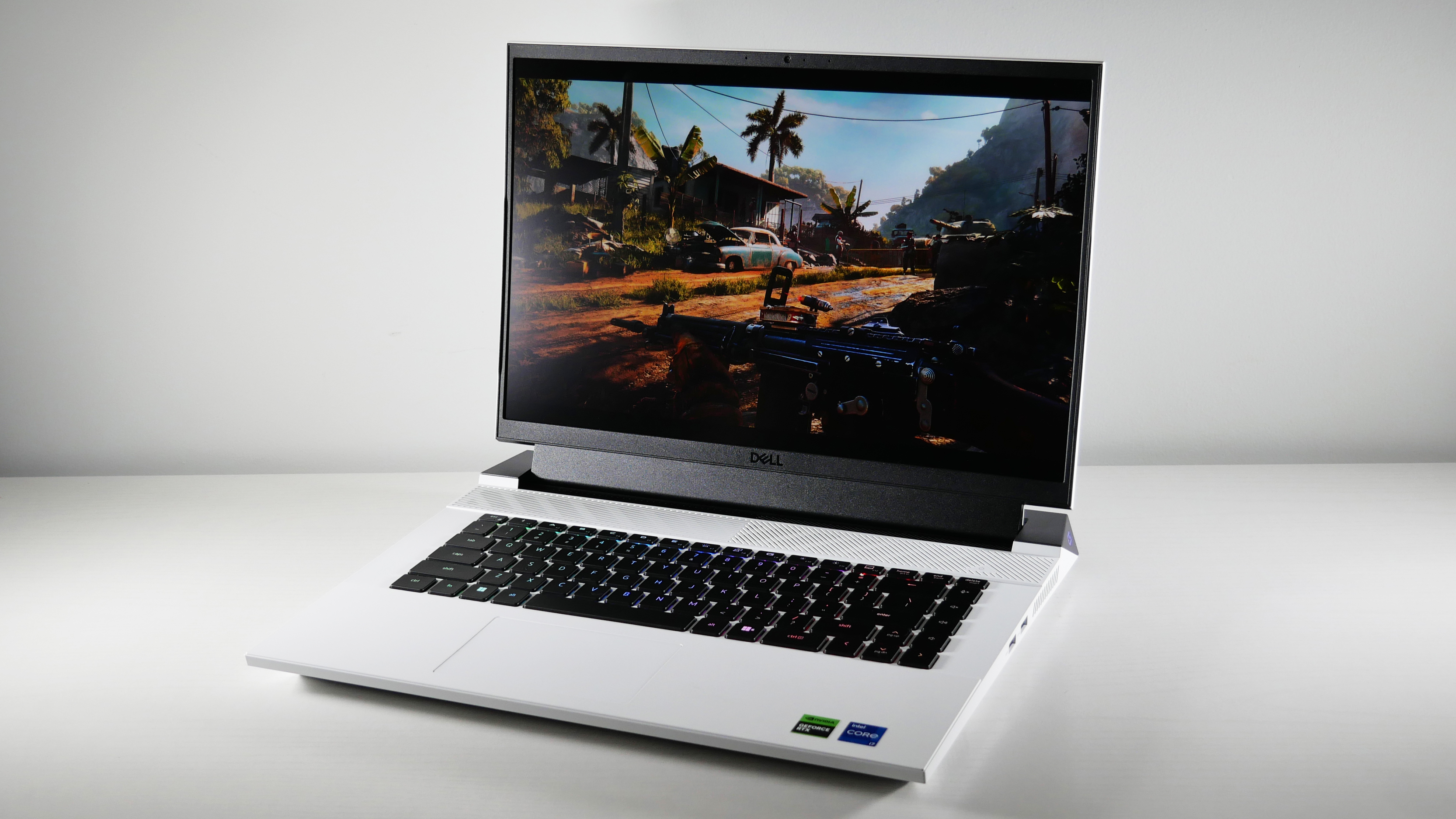
1. Pick an operating system: Windows vs. macOS vs. ChromeOS
Depending on your needs this could be an easy choice, but if you don't have any existing loyalties to a platform or specific software that you need this can be a challenging question to answer. If you are in that latter camp here's a quick overview of each platform’s strengths and weaknesses to help you decide.
Most laptops come with one of three operating systems: Windows, ChromeOS, or macOS (for MacBooks only).
Windows 11 (or Windows 10)
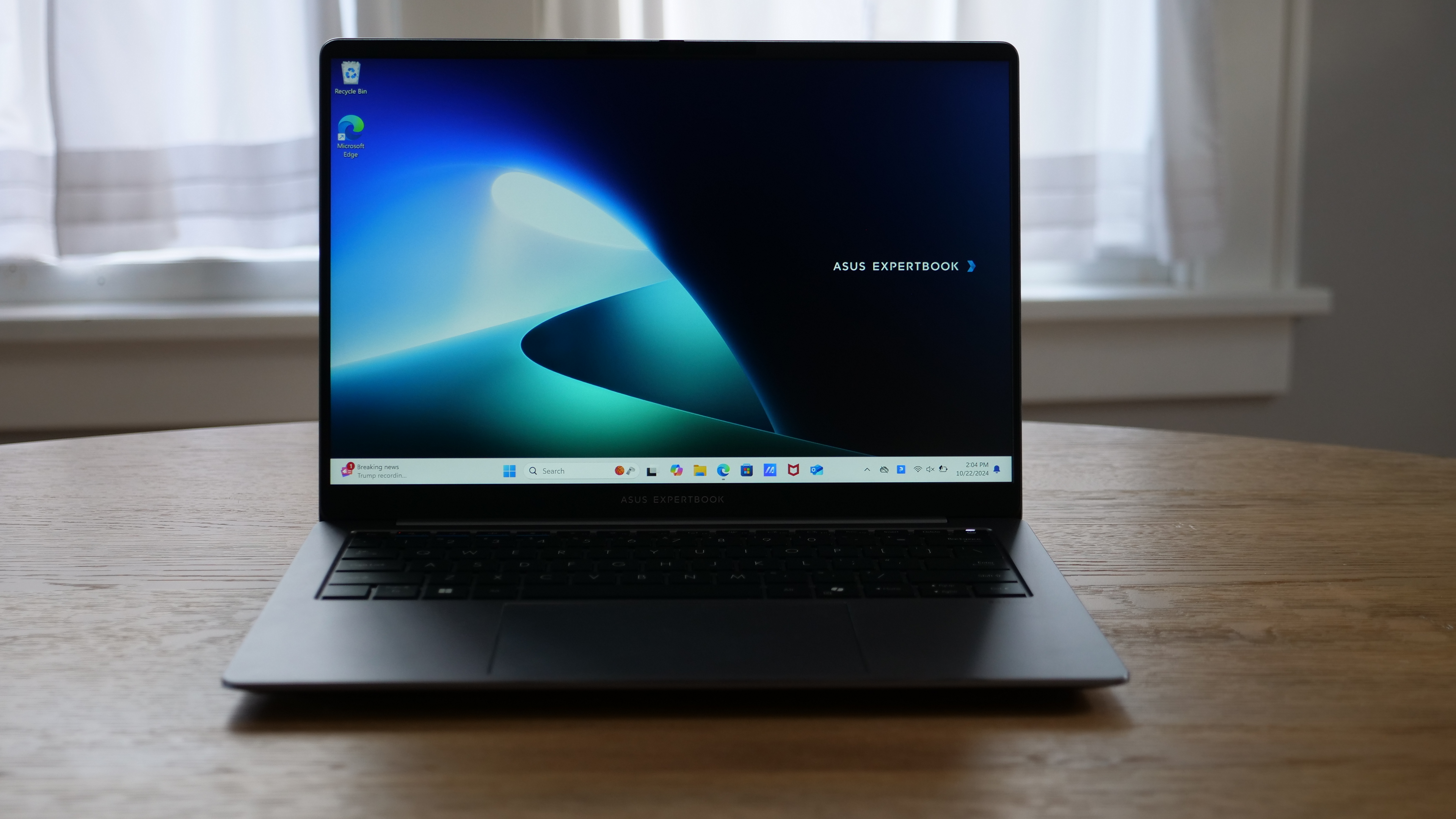
The most flexible operating system, Windows 11, runs on more laptop models than Chrome OS or macOS. Windows notebooks range in price from under $150 to several thousand dollars and offer a wide array of features from touch screens to fingerprint readers to dual graphics chips. Windows 11, the latest version of Microsoft's flagship operating system, provides several improvements over Windows 10, including the revised interface, the new Microsoft Store, handy features like Snap View.
Since its launch in October 2021, Windows 11 has also added many improvements, including Focus Sessions and a Do Not Disturb mode. The 22H2 update also came with notable performance and battery optimization enhancements. Windows 11 laptops are great for students, researchers, and business users, and they're still the only gaming laptops anyone should consider.
The vast majority of laptops shipping with Windows in 2025 will feature Windows 11, but if you own or buy a laptop with Windows 10, just be aware that Windows 10 support ends on October 14, 2025, so you'll want to make the free upgrade to Windows 11 before then.
macOS
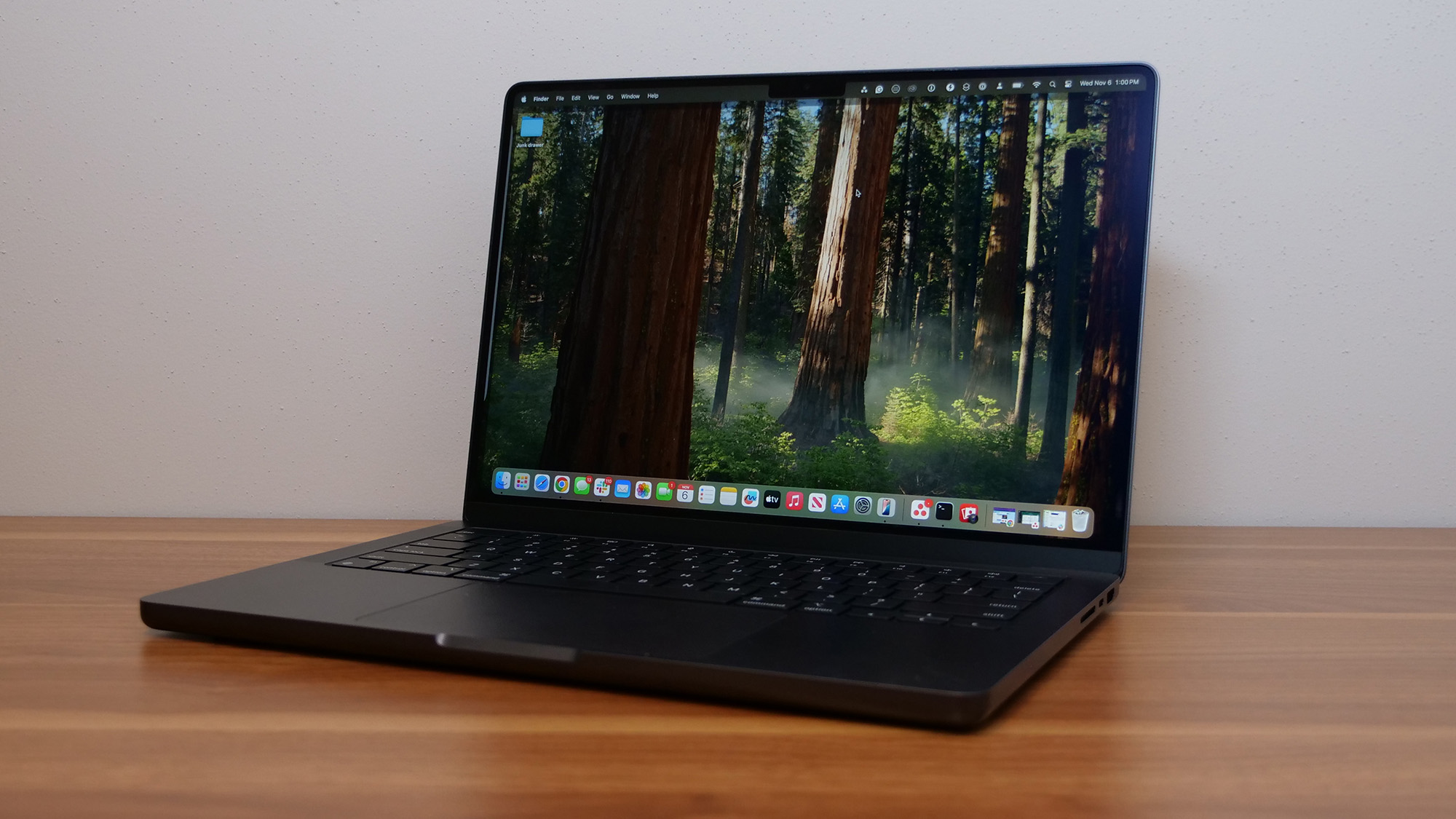
All MacBooks come with Apple's latest desktop operating system, macOS Sequoia. Overall, the operating system offers similar functionality to Windows 11, but with a different take on the interface that substitutes an apps dock at the bottom of the screen for Microsoft's Start menu and taskbar. They can perform transactions with Apple Pay, take calls or texts from their phones, and unlock their laptops with an Apple Watch. AI is a developing feature on all platforms currently, on macOS that's Apple Intelligence.
However, macOS isn't made for touch, because no MacBook comes with a touch screen. While Apple did bring iPad apps to its laptops starting with macOS Big Sur (iPad and iPadOS apps can run natively on Macs with Apple M series chips), you have to rely on a touchpad or mouse to navigate them. macOS Ventura brought Apple's Stage Manager for handling multitasking, which is an upgrade, but much more difficult to master than Windows solution.
ChromeOS
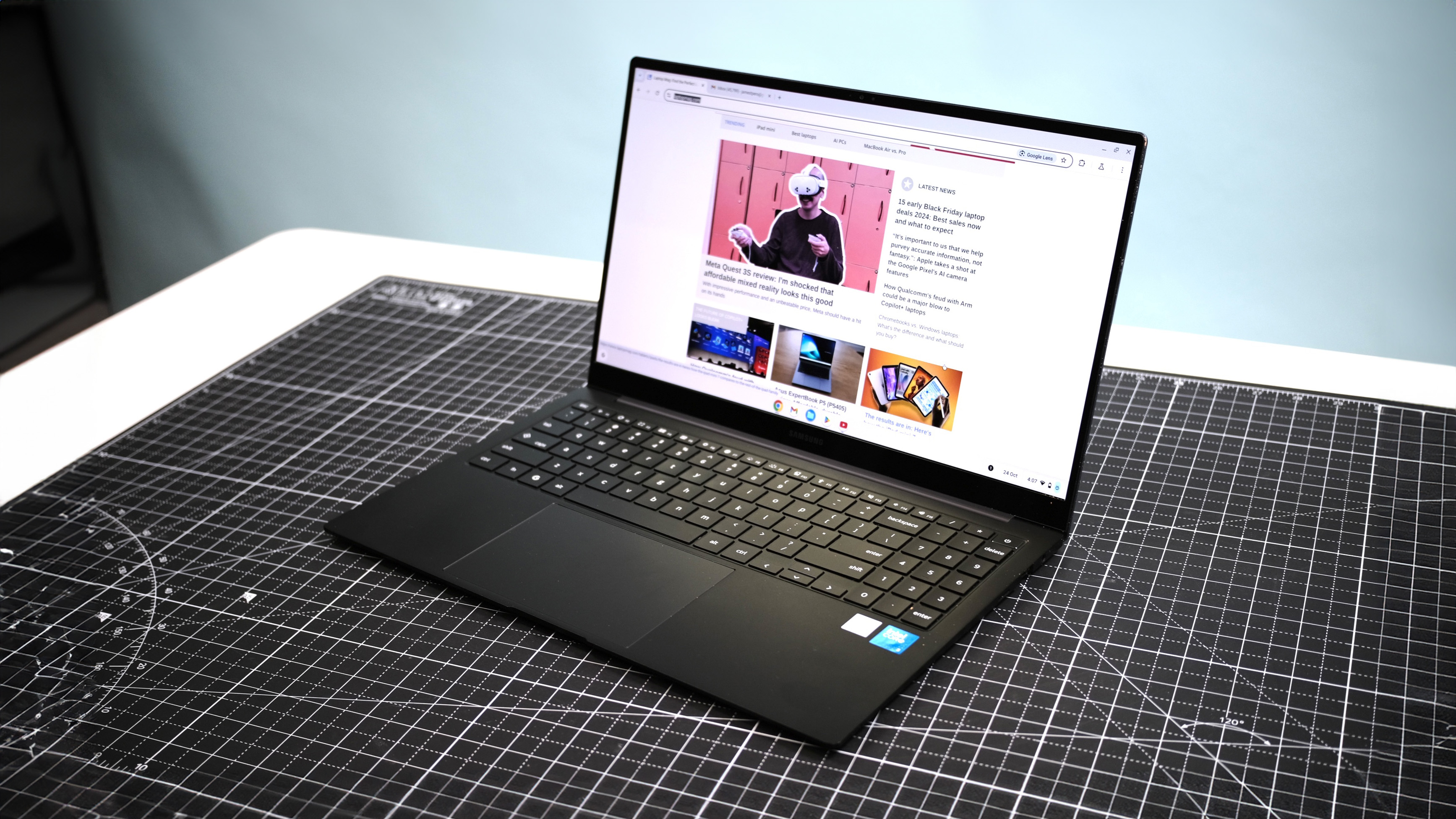
Google's ChromeOS is simple and secure but more limited than Windows or macOS. The user interface looks a lot like Windows, with an application menu, a desktop, and the ability to drag windows around, but the primary focus is still the Chrome browser. All modern Chromebooks, like the Lenovo Chromebook Duet 11 Gen 9, can run Android apps, but they aren't always optimized for use in a laptop form factor.
- Read more: Chromebooks vs. Windows laptops
The growing functionality of ChromeOS and improved performance of even relatively cheap Chromebooks like the Acer Chromebook Plus 515 have expanded the use cases for ChromeOS laptops in recent years. Unless you have specific software only available on Windows or macOS, a Chromebook is a solid choice for many users.
They are also extremely popular with schools, parents, and, increasingly, businesses because they are hard to infect with malware. For educational use, they offer something closer to a full laptop experience and are more functional than most tablets. If you need a Chromebook, look for one with at least 4GB of RAM and 64GB of storage if this is a secondary laptop; if it's a primary laptop, we'd recommend 8GB of RAM and a 128GB or larger SSD rather than eMMC flash memory. A screen with at least 1920 x 1080 resolution is preferred, and you can now find 4K and OLED models if you plan to watch a lot of content on the Chromebook.
2. Do you want a 2-in-1
Many PC laptops fall into the category of 2-in-1 laptops, hybrid devices that can switch between traditional clamshell mode, tablet mode, and other positions in between, such as tent or stand modes. 2-in-1s generally come in two different styles: detachables with screens that come off the keyboard entirely and convertible laptops with hinges that bend back 360 degrees to change modes.
Most of these touchscreen laptops are much better at serving one purpose than the other, with convertibles being laptops first and detachables offering a superior tablet experience. However, if you don't see the need to use your notebook as a slate, you'll usually get more performance for your money with a traditional clamshell laptop.
3. Choose the right size
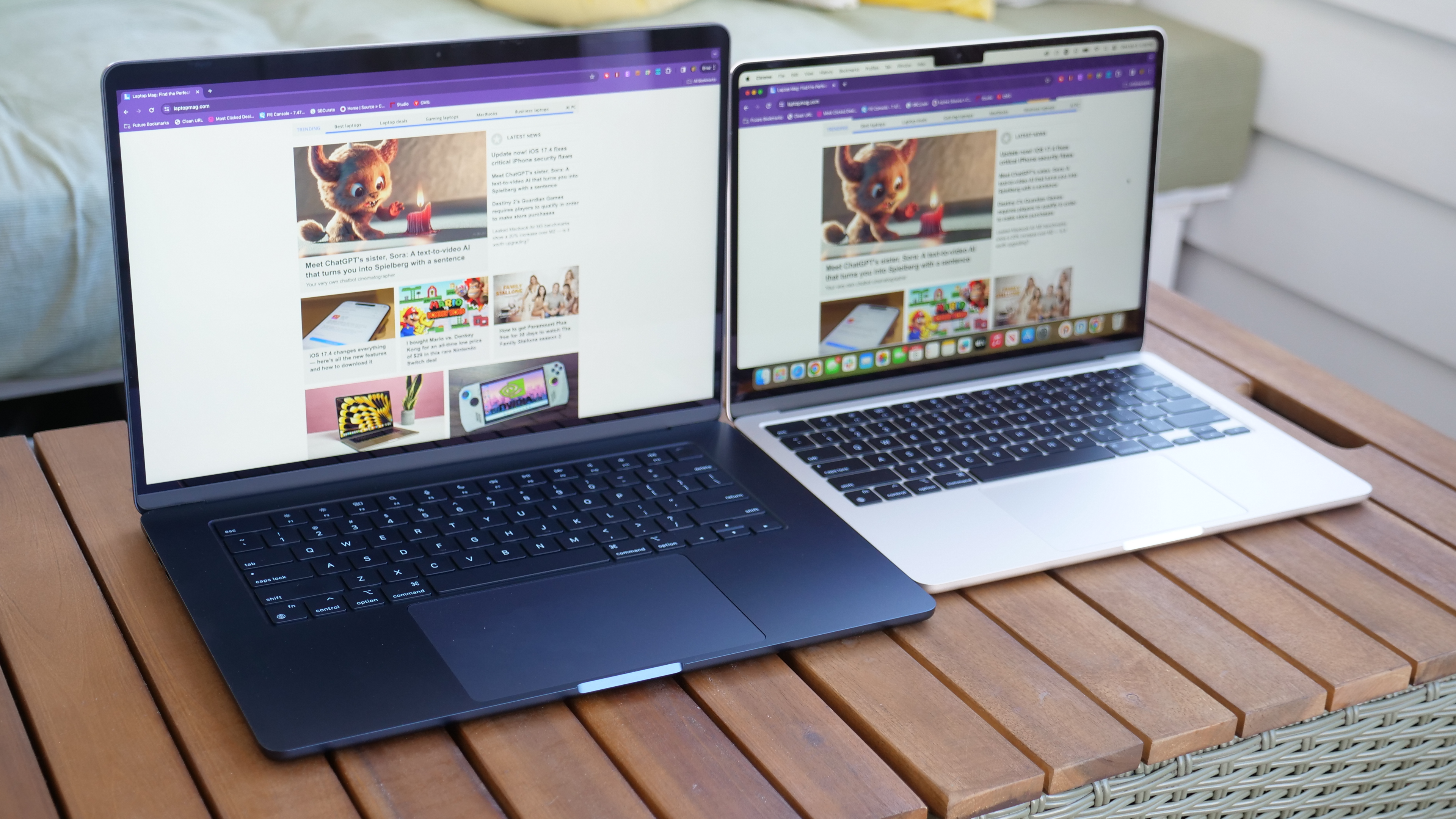
Before you look at specs or pricing, you need to figure out just how portable you need your laptop to be. Laptops are usually categorized by their display sizes:
- 11 to 12 inches: Maximum portability, but outside of cheap laptops and detachables we rarely see this size class as new materials and slimmer bezels made the next size class easily portable as well.
- 13 to 14 inches: This is the sweet spot for many laptop users as it gives you enough screen real estate while typically weighing 3 pounds or less and easily fitting in any laptop bag. Opt for one of the best 14-inch laptops if you are looking for the best of both worlds in terms of screen size and portability.
- 15 to 16 inches: 15-inch laptops used to be the most common size, usually weighing between 3 and 5.5 pounds, but 16-inch laptops like the MacBook Pro 16 are rising in popularity. Consider these sizes if you want a larger screen and do not plan to carry your notebook around too often.
- 17 to 18 inches: If your laptop is basically a desktop that you only occasionally pick up and go. A 17-inch laptop or 18-inch laptop could provide you with the power you need to play high-end games or do workstation-level tasks.
4. Keyboard and touchpad
The most impressive specs in the world don't mean anything if the laptop you're shopping for doesn't have good ergonomics. If you plan to do a lot of work on your computer, make sure the keyboard offers solid tactile feedback, plenty of key travel (the distance the key goes down when pressed, usually 1 to 2mm) and enough space between the keys. If you're buying a Windows laptop, be sure it has Precision touchpad drivers.
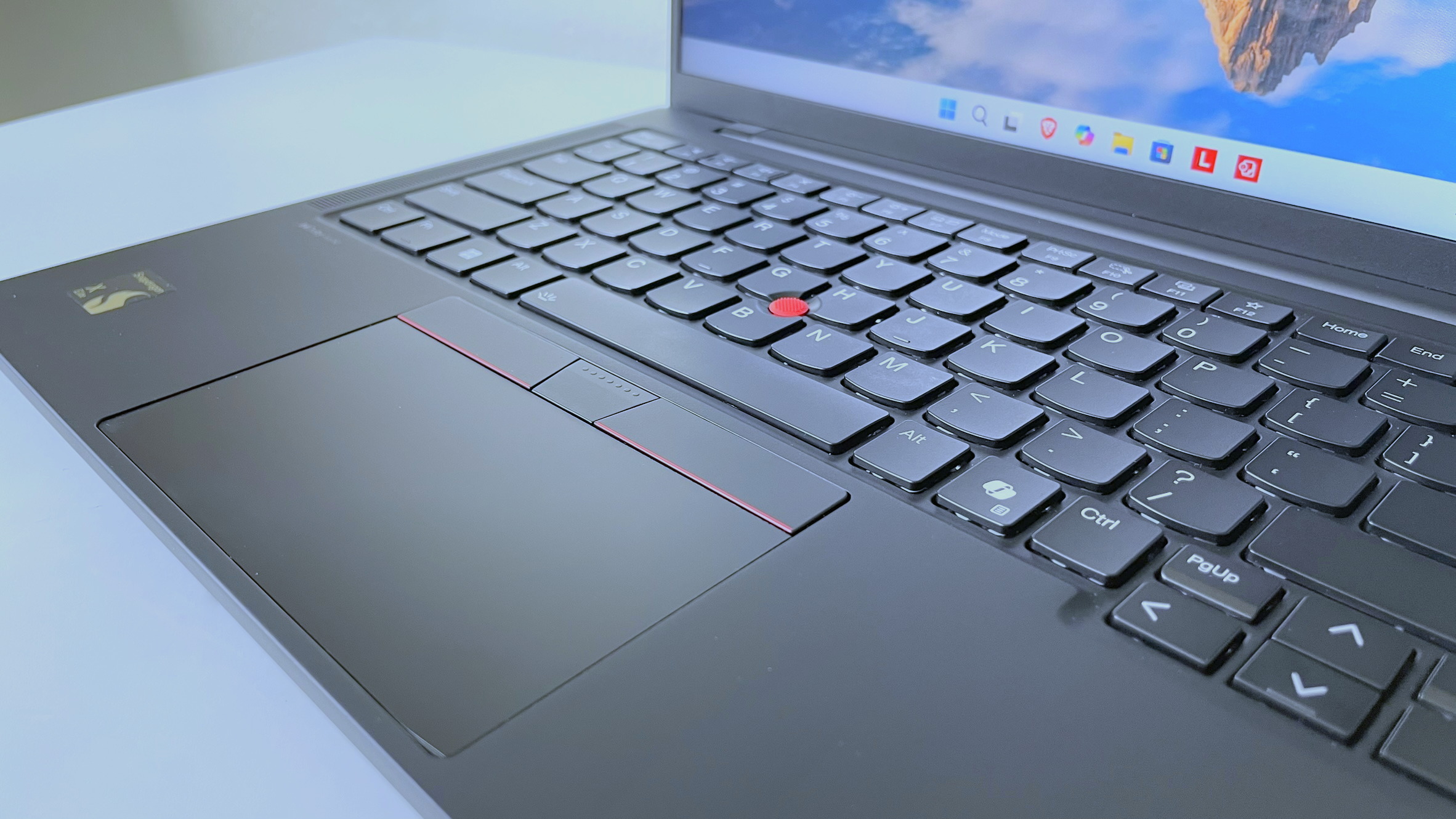
Look for a large and accurate touchpad that doesn't give you a jumpy cursor and responds consistently to multitouch gestures such as pinch-to-zoom. Lenovo fans still love the pointing stick (aka nub), which looks like an eraser head between the G and H keys so you can navigate around the desktop without lifting your fingers off the keyboard's home row.
5. Pick your specs
Notebook components such as processor, hard drive, RAM, and graphics chip can confuse even notebook aficionados, so don't feel bad if spec sheets look like alphabet soup to you.
Here are the main components to keep an eye on.
CPU: The "brains" of your computer, the processor has a huge influence on performance, but depending on what you want to do, even the least-expensive model may be good enough. Here's a rundown:
- Apple M1, M2, M3, and M4: Apple's custom silicon, the ARM-based M1, M2, M3, and M4 chips set a new standard for a balance of raw performance and endurance that is only now being challenged. Opt for the Pro or Max variants if you need even more power for tasks like content creation or programming.
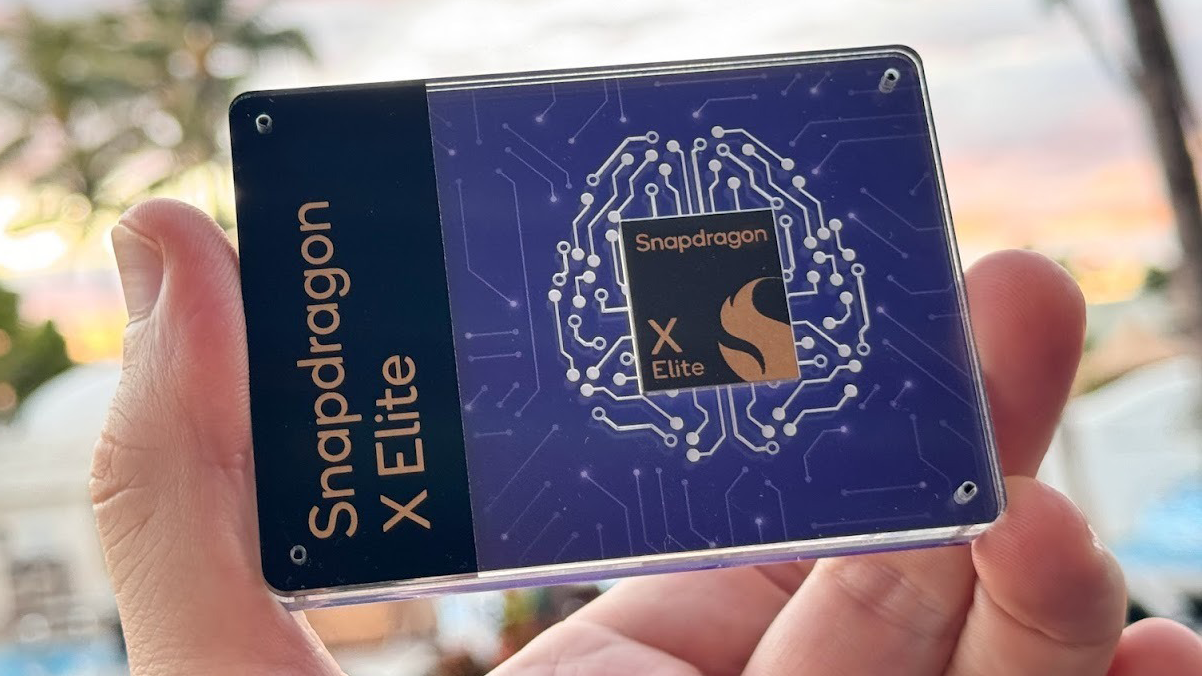
- Qualcomm Snapdragon X, X Plus, and X Elite: Qualcomm's new ARM-based chip is grabbing a lot of attention as the only currently shipping chip in Copilot+ PCs. While it isn't ideal for gaming, it offers excellent productivity performance and strong battery life for Windows laptops.
- Intel Core Ultra Series 2 CPUs: Intel's second generation of Core Ultra CPUs are upping the ante with more powerful multithreaded performance for a wide variety of tasks, while still delivering excellent AI performance and battery life.
- Intel 14th Gen CPUs: Intel's 14th Gen Meteor Lake processors are its latest and we've reviewed several laptops with these chips already. If you are in the market for a Windows laptop, the AI tech built into the new Intel Core Ultra CPUs combined with the impressive performance and battery life we've seen on many is hard to beat.
- Intel 13th Gen CPUs: Intel's 13th Gen Raptor Lake processors are a few generations old but still power some new laptops on the market. Unless you are getting a fantastic deal or a budget laptop, I'd recommend avoiding laptops with these chips in 2025.
- AMD Ryzen AI CPUs: AMD takes another performance leap for general computing tasks and AI with its Ryzen AI 300 series chips. If you need strong performance in a Windows laptop, these chips are hard to beat in 2025.
- AMD Ryzen 8000: AMD's answer to Intel's Core Ultra chipset, the Ryzen 8000 series features a similar focus on AI enhancements, we are still waiting to get an AMD Ryzen 8000 laptop in to review, but will update once we see how it stacks up against the competition.
- AMD Ryzen 7000: The Ryzen 7000 chips from AMD are just rolling out now, so we are still waiting to get laptops with them in our labs for texting, but the company claims we can expect a roughly 78% boost to CPU performance at the top end. If it can still maintain its excellent battery life along with it that will be incredibly compelling.
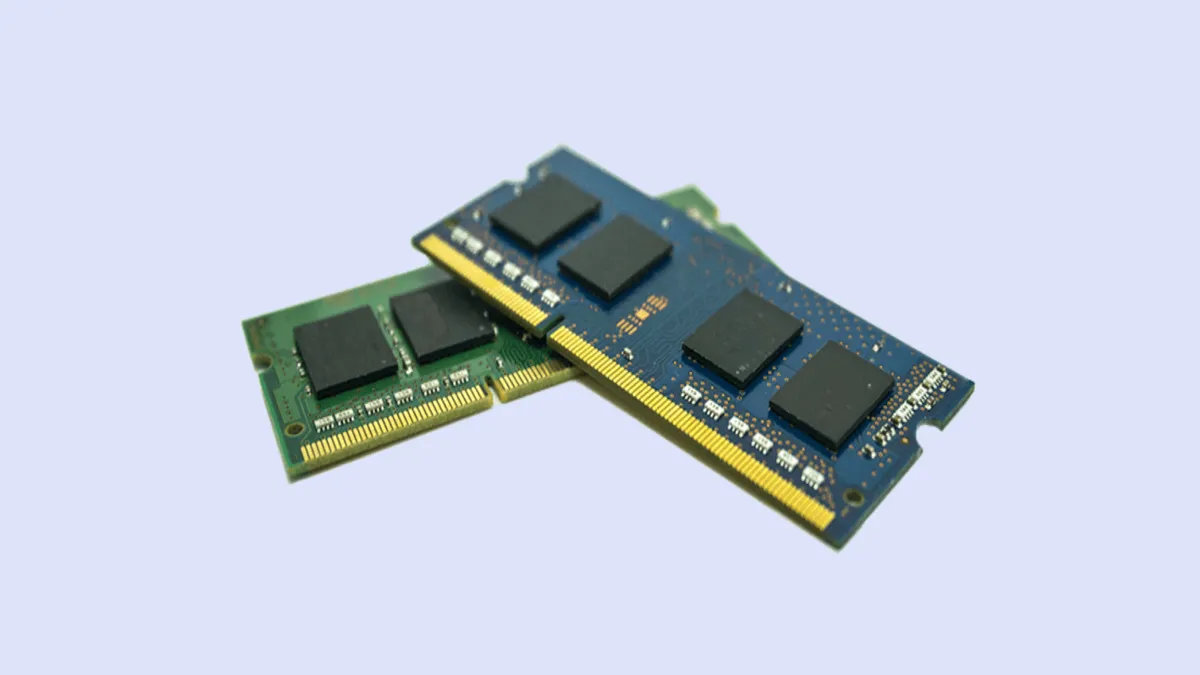
RAM: Some sub-$250 laptops come with only 4GB of RAM, but you want at least 8GB on even a budget system and ideally 16GB for a primary laptop in 2025. Even for most power users, 32GB is more than enough, while 64GB and above is reserved for professional power users or high-end gamers. Laptops are going to 128GB of RAM and beyond in 2025; if you need that much RAM, you will know it.
Storage (SSD): As important as the speed of your CPU is the performance of your storage drive. Actual hard drives have no place in a laptop in 2025, so stick to a solid state drive (SSD).
Sub-$250 laptops often use eMMC memory, which is technically solid-state but not faster than a mechanical hard drive, so if you have the choice of bumping up to an SSD from eMMC on even a budget laptop, it will have a considerable impact.

Display: The more pixels you have, the more content you can fit on-screen, and the sharper it will look. Sadly, some budget laptops still have 1366 x 768 displays, but if you can afford it, we recommend paying extra for a panel that runs at 1920 x 1080, also known as Full HD or 1080p. Higher-end laptops have screens that are 2560 x 1600, 3200 x 1800, or even 3840 x 2160 (4K), which all look sharp but consume more power, lowering your battery life.
Display quality is about much more than resolution. IPS panels range in color and brightness, so read our reviews to find out if the laptop you're considering has a good display. We typically look for a DCI-P3 color rating of over 85% and brightness great than 300 nits. If you want the very best picture quality consider an OLED display or miniLED, but read reviews of these models carefully as there can be battery trade-offs.
Touch Screen: If you're buying a regular clamshell laptop, rather than a 2-in-1, you won't get much benefit from a touch screen and you will get 1 to 2 hours less battery life. On 2-in-1s, touch screens come standard. If you still want a touch screen, check out our best touch screen laptops page.

Graphics Chip: If you're not playing PC games, creating 3D objects or doing high-res video editing, an integrated graphics chip (one that shares system memory) will be fine, especially Intel's Iris Xe graphics. If you have any of the above needs, though, a discrete graphics processor from Nvidia or AMD is essential.
As with CPUs, there are both high- and low-end graphics chips. Low-end gaming or workstation systems today usually have Nvidia GTX RTX A1000 or RTX 4050 GPUs, while mid-range models have RTX 4060, and high-end models have RTX 4070 or above chips.
Nvidia's GeForce RTX 50 series GPUs were announced at CES 2025 and are just starting to roll out, so if you want the latest bleeding-edge GPU tech, that's your target. On the flip side, the best gaming laptop deals now include great discounts on laptops with very capable RTX 40 series GPUs.
Nvidia maintains a list of its graphics chips from low to high end.
Ports: While the absence of ports is usually not a deal-breaker when choosing a laptop, it's helpful to get the connections you need right on the system rather than carrying a slew of dongles. However, many mainstream laptops now only offer USB Type-C, Thunderbolt 4, or USB4 ports that are USB Type-C compatible. Having legacy USB 3.0 ports, an audio jack, an SD card reader, and HDMI can be useful, but depending on the type of laptop you are considering, these features are growing harder to find.
With that said, USB Type-C is a definite plus because you can use it to connect to USB Type-C hubs or docking stations that can give you any combination of ports you might need.
If you are looking to future-proof your laptop, there are finally options with Thunderbolt 5 arriving this year, but the options are still limited. Here's a look at Thunderbolt 5 vs. Thunderbolt 4 to see what you're missing.

Connectivity: If you need to use your laptop on the go, consider buying a 4G LTE laptop or 5G laptop. You'll have to pay for a data subscription plan, but this will allow you to access the internet away from a router. If you want a laptop with the latest and greatest connectivity options, Wi-Fi 7 is it. However, Wi-Fi 6e is still excellent and far more common. Keep in mind that you also need a Wi-Fi 6e or Wi-Fi 7 router in order to actually enjoy the benefits of that performance boost.
We also suggest looking for a laptop with Bluetooth 5.3, which offers improved connectivity with Bluetooth-enabled devices like mice and headphones.
DVD/Blu-ray Drives: If you love physical media, times are tough in the laptop world for you. Optical drives are virtually entirely gone because all software and movies are downloadable. We continue to track down the best laptops with DVD drives, but it's a challenge these days. If you need to read/write discs, we strongly recommend leaving this off the wish list for your laptop and buying one of the best external DVD drives.
6. Don’t Skimp on Battery Life
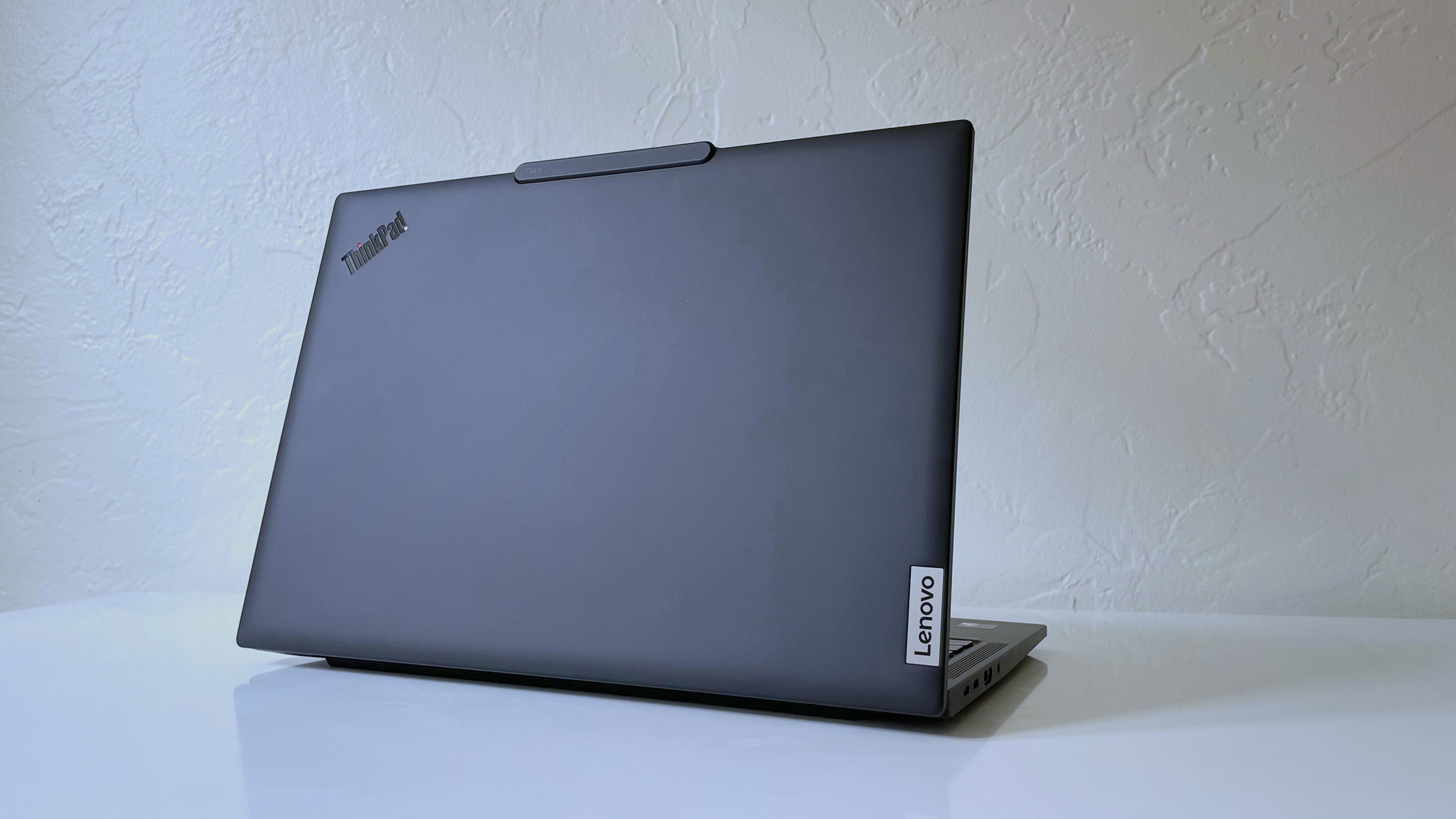
If you're buying a large, bulky notebook or a gaming rig that you'll use only on a desk near an outlet, you don't have to worry about battery life. However, if you plan to use the laptop on the go, you'll want at least 8 hours of endurance, with 10+ hours being ideal. To determine a notebook's expected battery life, don't take the manufacturer's word for it. Instead, read third-party results from objective sources, such as our reviews.
MORE: Laptops with the Longest Battery Life
7. What's your Budget
You can buy a usable laptop for under $500, but if you can budget more, you'll get a system with better build quality, stronger performance, and a better display. Here's what you can get for each price range.
- $150 to $250: The least-expensive notebooks are either Chromebooks, which run Google's browser-centric OS, or low-end Windows systems with minimal storage and slower processors. These laptops may be suitable as secondary computers or for younger kids, but don't look to do much beyond basic web browsing and video consumption. There are some exceptions; the Lenovo Chromebook Duet 11 Gen 9 falls close to this price and is a solid detachable 2-in-1 tablet.
- $350 to $600: For under $600, you can get a notebook with an Intel Core i5 or AMD Ryzen 5000 CPU, 4 to 8GB of RAM, and a 256GB SSD, all respectable specs. However, there are sure to be some trade-offs to hit that price. The Samsung Galaxy Chromebook Plus is a strong option in this range.
- $600 to $900: As you get above $600, you'll start to see more premium designs, such as metal finishes. Manufacturers also start to add in other features as you climb the price ladder, including higher-resolution displays and SSDs. The Apple MacBook Air M3 is typically in this price range, along with the Acer Swift Go 14.
- Above $900: At this price range, expect notebooks that are more portable, more powerful, or both. Expect higher-resolution screens, faster processors, and possibly discrete graphics. The lightest, longest-lasting ultraportables, like the MacBook Air M4 or Asus Zenbook S14 OLED, tend to cost more than $1,000. High-end gaming systems and mobile workstations usually cost over $2,000 and can skyrocket to over $4,000, depending on the components.
MORE: Best Laptops Under $500
8. Mind the brand
Your laptop is only as good as the company that stands behind it. Accurate and timely technical support is paramount, which is why Laptop Mag evaluates every major brand in our annual Tech Support Showdown. In our most recent report, Apple claimed first place, followed by Razer in second and Lenovo in third.
Support is only part of what makes a notebook brand worth your money. You also have to consider how the manufacturer stacks up to the competition in terms of design, value and selection, review performance, and other criteria.
Find your perfect laptop
Hopefully, you've made that checklist for yourself along the way of what you want in your laptop. Armed with that knowledge, here are some of our most popular buying guides covering the biggest laptop categories. Your perfect laptop is waiting in one of these guides.
- Best laptops
- Best touchscreen laptops
- Best 2-in-1 laptops
- Best AMD Ryzen laptops
- Best 14-inch laptops
- Best 16-inch laptops
- Best AI PCs
- Best business laptops
- Best MacBook
- Best student laptops
- Best gaming laptops
- Best Chromebooks
- Best laptops for Photoshop
- Best video editing laptops
- Best Dell laptops
- Best Asus laptops
- Best HP laptops
- Best Lenovo laptops
Why Trust Laptop Mag
Laptop Mag reviews over a hundred laptops yearly, from paperweight ultralights to everyday workhorses to lumbering gaming notebooks that scorch the frame rates of even the hottest AAA games. We're not just experts in the laptop field, as we go one step further by meticulously testing smartphones, tablets, headphones, PC accessories, software, and even the latest in gaming.
We are 100% independent and have decades of experience to help you buy with confidence. In fact, Laptop Mag has been testing and reviewing products for three decades and continues to deliver trustworthy reviews you can rely on.
Our experienced team of writers and editors scour the available information about the laptop and put it through its paces to determine which is best for you. But before they start, the testing team subjects each system to a rigorous regimen of synthetic and real-world tests to see how a system handles the type of work and games you’re most likely to throw at it.
One of the world's largest technology publishers, Future Publishing, enforces our editorial trustworthiness. As a company, we have unrivaled experience across every tech sector — and we're the group's specialist for all things mobile tech.