1. The list in brief
2. Best overall
3. Best budget
4. Best for students
5. Best ultraportable
6. Best high performance
7. Best gaming
8. Best 2-in-1
9. Best Chromebook
10. Best MacBook Pro
11. Best for work
12. Recent reviews
13. How we test laptops
14. How to find the right laptop
15. Why trust Laptop Mag
Looking for one of the best laptops of 2024? You've arrived at exactly the right place as here at Laptop Mag we test dozens of laptops every year to find the best of the best. We have some new arrivals to our list released this year with plenty of additional exciting laptops on the horizon with talk of AI PCs from just about every brand. We recently got our hands on a prototype laptop running the upcoming Qualcomm Snapdragon X Elite chipset and we expect some serious contenders with those chips later this year. But rest assured we have plenty of outstanding options for you right now. Whether you are searching for an affordable Chromebook, a powerful gaming laptop, a flexible 2-in-1 laptop, or a content creation laptop with a gorgeous display, our extensive reviews and testing at Laptop Mag will guide you to your perfect laptop.
After years of testing and reviewing laptops, I still find something fascinating about every laptop I review. So let me be your guide on this quest for the best laptop for you. My best laptop recommendations aren't just my personal favorites, these are determined by rating, pricing and use case. The Laptop Mag testing team puts every laptop through rigorous tests before turning it over to our reviewers to use in real-world situations, evaluating overall performance, display brightness, keyboard comfort, and much more.
This page is constantly updated to reflect the Laptop Mag staff’s current top laptop choices based on our latest reviews.
Read on to learn more about our top-rated laptops.

Sean Riley has covered a wide variety of tech over his 13 years as a journalist, but found his home at Laptop Mag in 2020. As the managing editor he takes a part in every laptop review that is published on Laptop Mag, whether as reviewer or editor.
The Quick List
No time for full reviews? Not to worry, we've got a TL;DR take on each of the laptops on our list and if you want to know more you can click through for our full review.
The best laptop for almost everyone
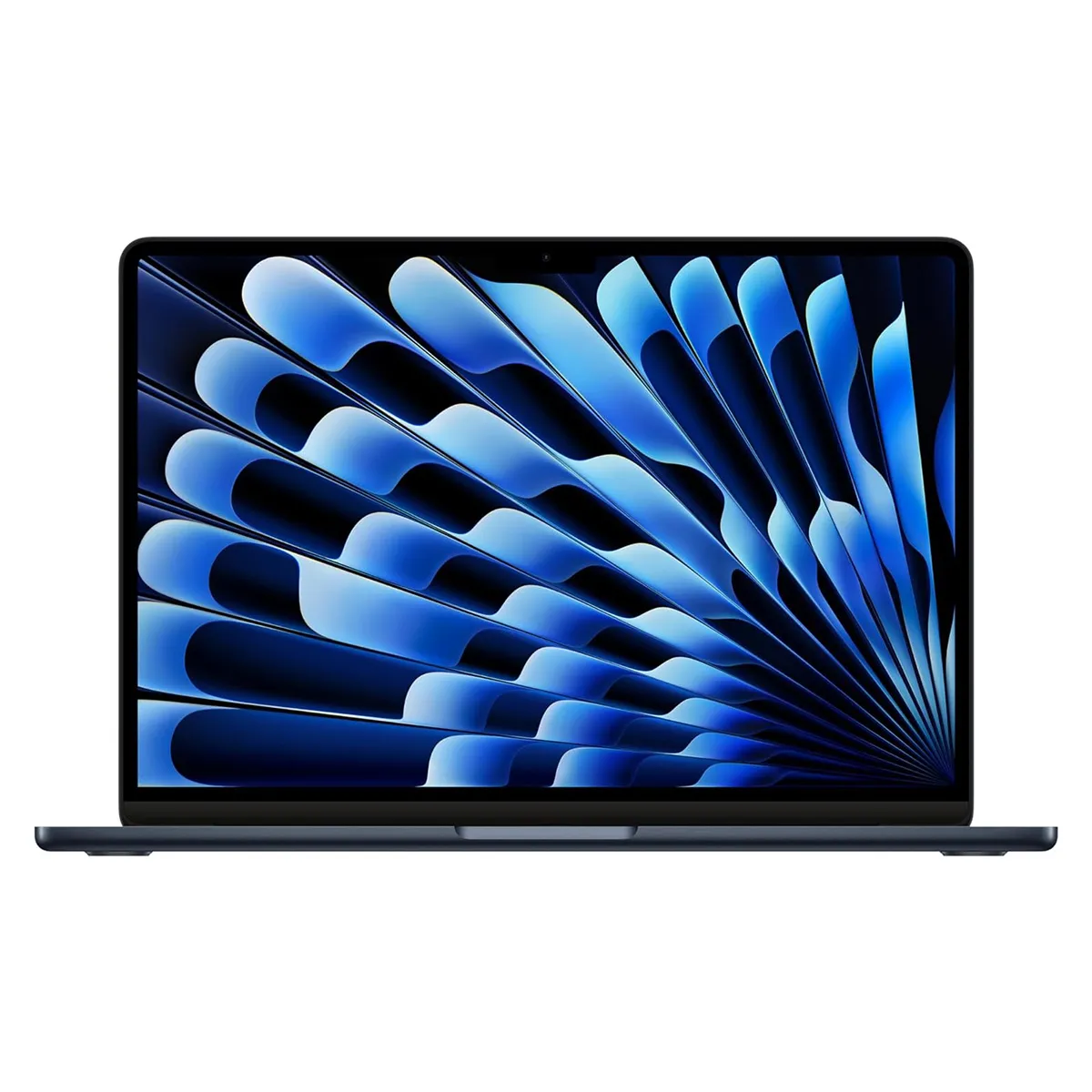
The MacBook Air M3 is our current choice for the best overall laptop. The mix of power, portability, a fantastically bright display, and over 15 hours of battery life make it a great pick for most people.

The best budget
The Acer Swift Go 14 offers incredible value, starting at $749 you get a 14-inch laptop with a bright display, comfortable keyboard, and strong performance packaged in a sleek chassis.
The best for students
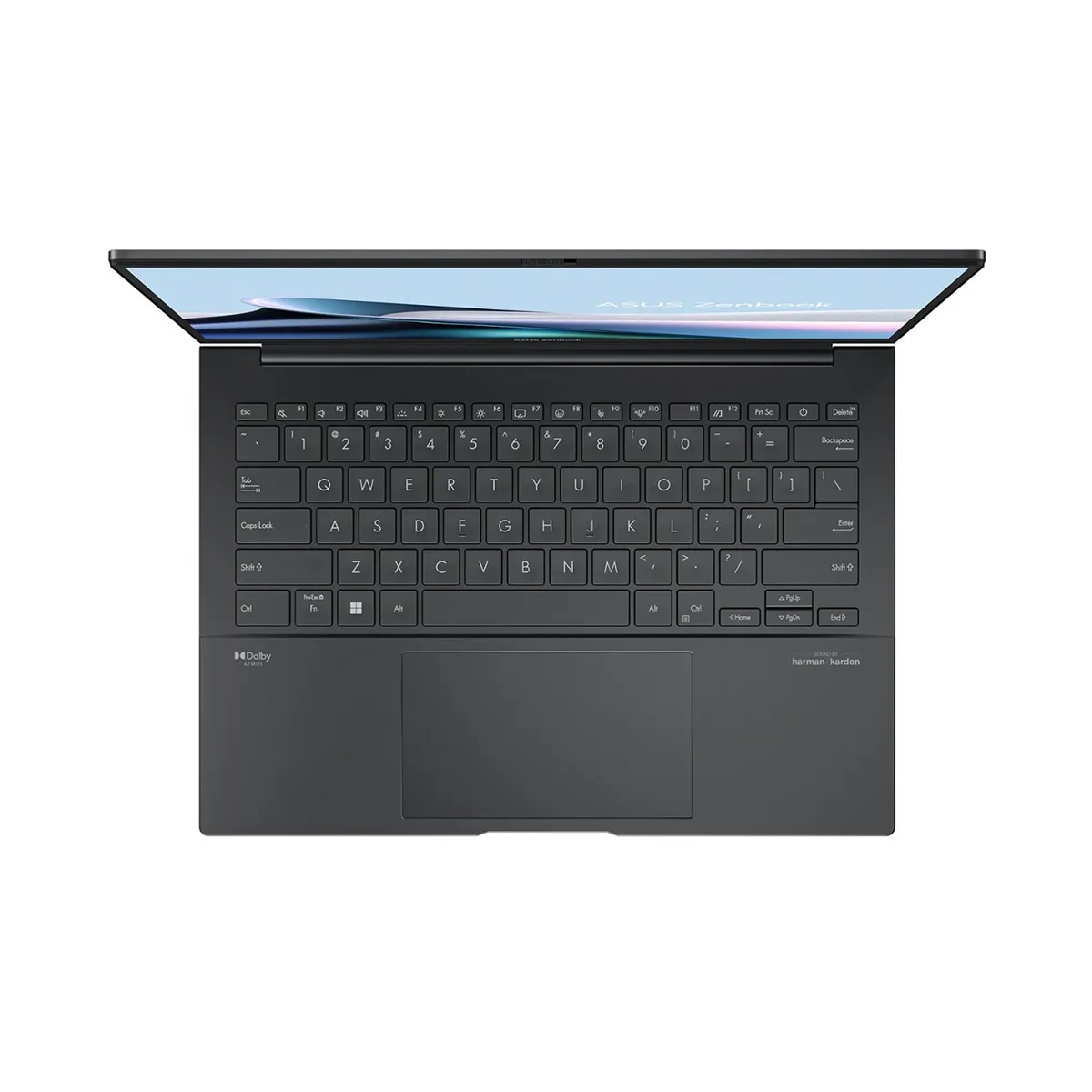
The Asus Zenbook 14 OLED is a dream laptop for students. Featuring a gorgeous OLED display, a powerful Intel Core Ultra 7 processor, and almost 16 hours of battery life!

Best ultraportable
The LG Gram SuperSlim makes you think LG created a pocket dimension in the slim 2.18-pound laptop with a 15.6-inch display, because how else can you explain everything that fits inside that tiny frame?

Best high performance
Sporting an Intel Core i7 processor and a discrete Nvidia RTX 4070 GPU, the Dell XPS 15 (9530) is a jack-of-all-trades system that handles work and play with ease. The 165-inch super high-res panel is great for productivity and gaming.

Best gaming laptop
The Asus Strix Scar 18 is large and in charge. But it’s not just the 18-inch display that wows The uber-powerful Core i9 CPU and Nvidia RTX 4090 GPU make the Strix Scar an undeniable beast of a gaming laptop.
Load the next four products..

The best 2-in-1
The HP Spectre x360 14 is an easy pick for the best 2-in-1 laptop. It offers a stunning 2.8K resolution OLED panel, a powerful Intel Core Ultra CPU and over 11 hours of battery life!

The best Chromebook
The Acer Chromebook Spin 714 brings above-average battery life, a decent keyboard, a stylish chassis and a 1440p webcam — all for under $700. What’s not to love?

Best MacBook Pro
Whether you’re editing photos or videos, creating music or just working on a massive spreadsheet, the MacBook Pro 14 is the way to go. The M3 Pro chip put both Intel and AMD-powered systems to shame in power and endurance.

Best business laptop
Then the Lenovo X1 Carbon (11th Gen) is the business laptop for you. Offering superior performance, more than 15 hours of battery life and Lenovo’s world renowned keyboard, the Lenovo X1 Carbon is ready to get to work.
Best Laptop Overall
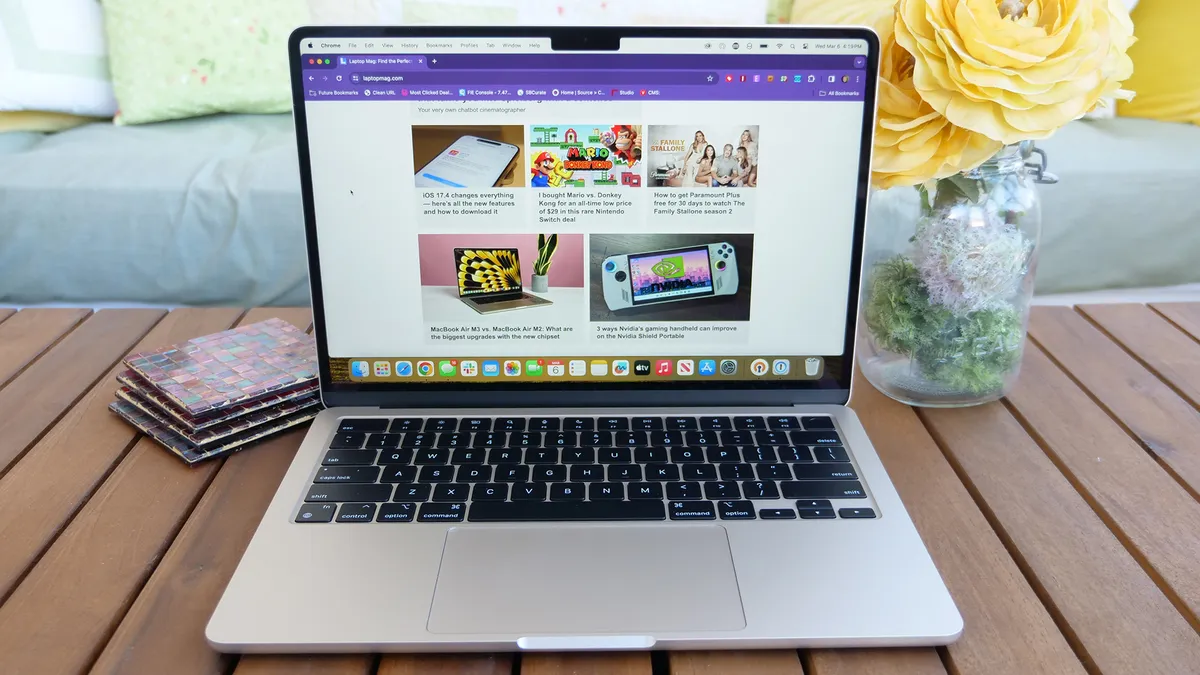
Weighing a mere 2.7 pounds, Apple’s smallest laptop gets an M3 power boost that manages to extend battery life too, making it my new pick as the best laptop for most people.
The MacBook Air's 13.6-inch display is one of the brightest laptops around and True Tone ensures excellent color accuracy as well, but the vibrancy falls short of some of the OLED competition. Rumors of Apple moving to OLED in the future abound, but not yet.
Like its predecessor, the MacBook Air M3 is one of the thinnest laptops around at only 0.4 inches. However, unlike many ultraportable laptops, it can keep up with an impressive workload thanks to the M3 chip. Whether it was our benchmarks or real-world usage, the Air M3 was up for any task.
Looking at the benchmarks, the MacBook Air M3 scored 12,087 on the Geekbench 6.2, well above the category average. Our Handbrake video transcoding test took 7 minutes and 54 seconds to transcode a 4K video to 1080p. Again beating the average, but it's worth noting that the Intel Core Ultra powered competition are passing Apple here. Finally, Apple corrected the SSD read/write performance of the Air M2, jumping all the way from 2,800.1/2,210.6MBps on the M2 to 3,030.7/3,058.8MBps with the M3.
All that performance prowess doesn't hurt its battery life either. If finding an outlet can be a challenge during your day, never fear, the Air M3 powered through over 15 hours of battery life testing in our lab.
If that’s not enough, you also get a 1080p webcam with Apple's latest software tricks helping to boost the hardware to higher heights. So what are the downsides? If you have a lot of peripherals the pair of Thunderbolt/USB-C ports may be tough, but at least you have MagSafe 3 to keep both ports free while charging. Starting at $1,099, the 13-inch MacBook Air M3 isn't cheap, but it remains a solid value. You may want to pay the extra $200 for 16GB of RAM though, multitaskers will appreciate the extra performance headroom.
If you want to save money, the 13-inch MacBook Air M2 sticks around at a new $999 starting price and I expect to see it regularly discounted further.
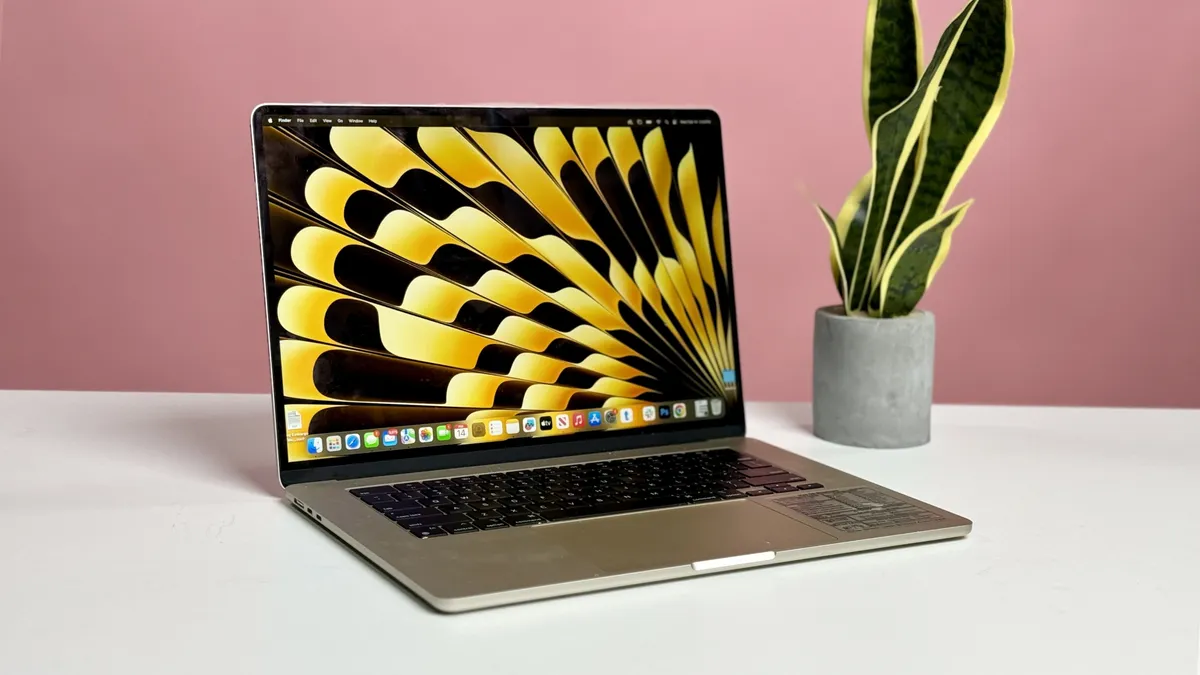
Need more screen real estate? Look no further than the 15-inch MacBook Air M3, it mirrors all of the strengths of its smaller sibling, but with a larger 15.3-inch display.
See our full 13-inch MacBook Air M3 review.
See our full 15-inch MacBook Air M3 review.
See our full 13-inch MacBook Air M2 review.
Best Budget

Acer's Swift Go 14 is the easy choice for the best budget laptop. Starting at $749, the Go 14 isn't the cheapest laptop around, but the value it offers is simply amazing. We reviewed the slightly upgraded $999 configuration, but the main trade-off is moving from an Intel Core Ultra 7 155H to a Core Ultra 5 125H. If you stick to productivity work, browsing, and other general computing the performance difference will be negligible.
The design remains the same at either price, with the Go 14 coming in at just 2.9 pounds. The metallic all-aluminum chassis gives off a faint sparkle that looks and feels far more premium than its price. Popping it open the contrasting black chiclet-style backlit keyboard looks and feels excellent. Acer also gives you ports aplenty on this portable laptop with two Thunderbolt 4 ports, two USB Type-A ports, an HDMI port, a microSD card slot, a 3.5mm audio jack, and a Kensington lock slot.
The display lands just below the mainstream average for color at 79.1% of the DCI-P3 color gamut (85.2% is average), but it beats the category average in brightness at 374 nits (354 is average). Again, factoring in the price, these are strong results. You could also opt for the 2.8K display configuration if you value a sharper image.
Performance with our review model was everything we've come to expect from the latest Intel Core Ultra. In our Geekbench 6.2 overall performance test, it scored 12,434, overtaking more expensive options like the MacBook Air M3 (12,087). It also scorched the competition for our Handbrake video encoding test at 5 minutes and 18 seconds, almost 4 full minutes under the category average (9:07) and again besting the MacBook Air M3 (7:54).
So what are the drawbacks? The battery life isn't bad at 9 hours and 50 minutes in our testing, but it is well below top options like the MacBook Air M3 (15:21) or the Asus Zenbook 14 OLED (15:52). If you are frequently traveling or otherwise have difficulty plugging in, this could impact your decision. The built-in speakers are also less than stellar, so plan on some wireless headphones or earbuds.
However, these are pretty minor concerns for most users, so if you are looking for the best laptop value, look no further than the Acer Swift Go 14.
See our full Acer Swift 14 Go (Intel Core Ultra) review.
Best for Students
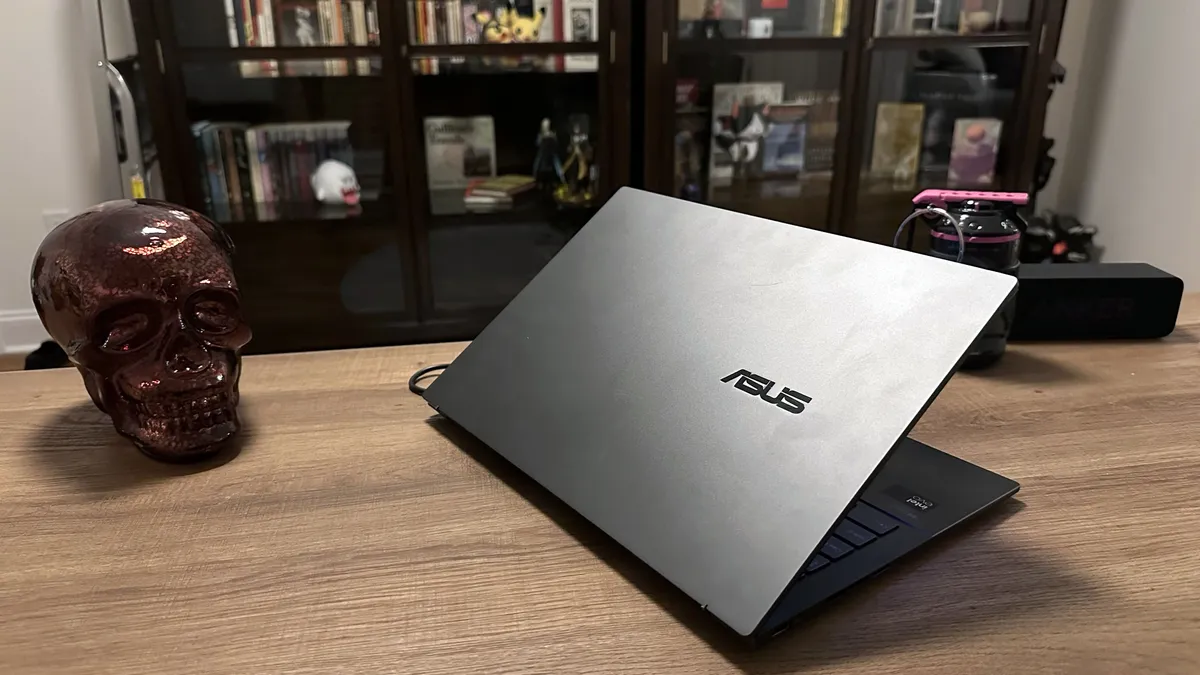
Asus has been on a roll with the Zenbook 14 OLED line for a few years, so while it is no longer a surprise, this early 2024 Zenbook takes yet another significant leap forward.
This is in no small part due to the new Intel Core Ultra chipset inside, putting the Zenbook 14 OLED on par with any productivity and light content creation laptops on the market, while also absolutely blowing the roof off our battery life test with 15 hours and 52 minutes in our test. That's the longest a traditional Windows laptop has lasted in recent memory.
Divining into some of the specifics on performance, it overtook the 13-inch MacBook Air M3 in multi-core Geekbench 6.2 (12,707 vs. 12,087). That wasn't its only win against the much-vaunted MacBook, the Zenbook also beat it in our Handbrake 1.6 test by converting a 4K video to 1080p in 6:36, over a minute faster than the Air M3's 7:54.
The OLED display looks excellent in person, but the benchmarking put it in the middle of the road when it comes to DCI-P3 color gamut at 79.8%, that's below the mainstream average of 85.2% and just slightly ahead of the MacBook Air M3 (77.8%). It is extremely color accurate with a Delta-E of 0.21, relevant for content creators. Display brightness is a weak point against its competition at 339 nits, it's not a terrible result, but it's something we want to see Asus address for the next model.
The Zenbook comes in at 3 pounds even, not exactly an ultralight, but not something that will weigh you down too much going from class to class or while commuting. Overall the Zenbook 14 OLED ticks just about every box we like to see for a student laptop, while going above and beyond with its performance and battery life. This laptop should comfortably hold up through four years of college or for a high school student preparing to head to college in the next year or two.
See our full Asus Zenbook 14 OLED (Q425M) review.
Best ultraportable

The LG Gram SuperSlim puts every other so-called ultrabook on notice with its 15.6-inch display, 0.49-inch thickness and unbelievable 2.18-pound weight. It is mind-bending that there is a real functioning laptop inside when you pick this thing up.
Even more amazingly, it isn't a weak laptop that can't do more than browse the web and generate documents, the Intel Core i7-1360p processor, 32GB of RAM, 512GB of RAM and an Intel Iris Xe GPU give you enough oomph to outperform the competition. Let's not forget that it also features a 15.6-inch OLED display, while coming in lighter than many 13-14-inch ultrabooks.
The Gram SuperSlim proved its mettle in our benchmarks delivering a Geekbench 5 score that cleared the mainstream premium laptop average and even the M2 MacBook Air! The SSD is no slouch either, delivering a file transfer rate of 1,692.4MBps, well above the premium average of 1,362.7MBps.
Thin, light and powerful? You're probably waiting to hear that it has terrible battery life. Think again! Apparently LG also shoved a large battery in the pocket dimension inside the Gram SuperSlim, because it lasted 11 hours and 38 minutes on our battery test.
So what's the downside? There's one magic trick that LG can't manage and creating extra depth for the keyboard, which our reviewer found a little shallow for their liking. It's not a dealbreaker, but worth considering if you are churning out thousands of words a day on the Gram SuperSlim.
That shallow keyboard is a small price to pay for the rest of what you are getting though, which is why the LG Gram SuperSlim earned 4.5 stars and an Editor's Choice award. If you need an ultraportable ultrabook, look no further.
See our full LG Gram SuperSlim (2023) review.
Best High Performance

I'd be remiss if I didn't add the Dell XPS 15 (9530) to the list. After all, it kept its boot on our best 14-inch pick, the Lenovo Slim Pro 9i. And while I could put it firmly in the creative professional realm, the laptop can also serve as a powerful productivity machine and a passable gaming rig. It’s got a stunning 3.5K OLED touchscreen paired with powerful speakers that just screams multimedia machine.
Armed with its 2.4-GHz Intel Core i7-13700H processor with 32GB of RAM, the XPS 15 (9350) can be a bit of a bully towards its competitors. Take for example, the notebook scored 12,171, defeating the 7,803 premium laptop average. The Dell however, had its work cut out for it from the Galaxy Book 3 (12,405) which has the same processor and the M2 Max MacBook Pro 16 which hit 14,626 on the Geekbench 6 overall performance test.
The XPS 15 came back swinging, transcoding a 4K video to 1080p in 5 minutes and 1 second, outpacing the 8:18 category average along with the Vivobook Pro 16 (5:50) and Galaxy Book 3 (5:26). On the Laptop Mag Battery Test, the XPS 15 lasted 8 hours and 58 minutes which failed to meet the 10:25 premium laptop average and was well short of the MacBook Pro’s ludicrous 18:56.
Along with the below-average battery life. the XPS 15 counts a mushy keyboard as a flaw. The latter is a minor annoyance compared to the battery life, but if you ensure that the Dell XPS 15 is always in the vicinity, it shouldn't be a problem, especially with the all the power the laptop brings to the table. The Dell XPS 15 is the ultimate jack-of-all-trades system that has something for everyone.
See our full Dell XPS 15 (9350) review.
Best Gaming Laptop

When it’s time to game, and I mean really game — like obliterate everything in the level with wild abandon — look no further than the Asus ROG Strix Scar 18. This behemoth with a 18-inch, 2560 x 1600 display with 240Hz refresh rate is the way to go for buttery smooth rendering, which in those crucial moments can mean the difference between getting the kill shot or receiving it.
But the destruction you’re going to unleash comes by way of the 13th Gen Intel Core i9-13900HX and the Nvidia GeForce RTX 4090 GPU with 16GB of VRAM. Both chips are the latest and greatest and very overclockable so you can squeeze every inch of power out of them. And while we’re here, I can’t overlook the pair of 1TB SSDs in RAID 0 configuration. This treacherous triad destroyed just about every benchmark we threw at it on both the overall and gaming performance.
Where the Strix Scar 18 hit a bit of a hiccup is the File transfer test and battery life. But about 4.5 hours is still pretty good for a laptop packing this much power. Outside of this, my only complaint about this system is the 720p webcam, which if I’m paying nearly $4,000, I expect 1080p –– hell 4K. But overall this is the gaming laptop to beat.
Read our full Asus ROG Strix Scar 18 review.
Best 2-in-1 Laptop

The new Intel Core Ultra version of the HP Spectre x360 14 takes everything we've loved about this laptop line in recent years and turns it up a notch. Beyond the useful 2-in-1 form factor, you have a gorgeous 2.8K OLED touchscreen display for creating or viewing content.
The laptop weighs in at 3.2 pounds, pretty light for a 14-inch 2-in-1, but thanks to that power-sipping CPU from Intel it still crushed our battery life test with over 11 hours on a single charge! That's one of the best results we've ever seen from a 2-in-1. Despite it's frugal battery usage, the Intel Core Ultra and Arc GPU blew our reviewer away, putting up better Geekbench and 3D Mark results than many heavier clamshell laptops.
So why isn't it perfect? While the display is bright and colorful, we've seen better benchmarks from competitors. However, the rest of the package makes it impossible to argue with the HP Spectre x360 14 as the best 2-in-1 around, which is why the notebook earned 4.5 stars and our coveted Editor’s Choice award.
See our full HP Spectre x360 14 (2024) review.
Best Chromebook

I wrote an op-ed on how $1,000 Chromebooks shouldn’t be a thing and I stand by that statement thanks to the Acer Chromebook Spin 714. This sub-$500 has a lot going for it, including nearly 13 hours of battery life. Plus, according to our reviewer, it's the most attractive Chromebook they've ever review. That's high praise considering the less premium system tend to look like unassuming gray slabs.
But let's leave the Spin 714's dark-gray finish with the gold accents for a minute and take a look beneath the chassis. With its Intel Core i5-1335U CPU, don't expect the system to do any heavy data crunching or run AutoCAD, but it can definitely do light-to-mid level work. But dismiss the 2-in-1 just yet. On the Geekbench 6 test, it defeated the HP Dragonfly Pro Chromebook which costs $300 more –– 6,335 vs. 4,263.
The tables were turned on the JetStream 2.0 benchmark, which tests how quickly large web pages load. The Chromebook Spin 714 achieved a score of 250.2, which bests the Chromebook average (240), but not the HP Dragonfly Pro Chromebook (256.7).
The Spin 714 also got the win our battery test with a time of 12 hours and 43 minutes, totally eclipsing the Dragonfly's time of 9:17. It just goes to show, price doesn't always dictate quality.
See our full Acer Chromebook Spin 714 review.
Best MacBook Pro

Apple's silicon keeps getting better and better as its third series of chips, the M3 debut bringing even better performance than the last two generations. And they're also outpacing most of the Windows PCs on the market by a decent margin. Plus, it's $400 cheaper than M2 predecessor. It's an all-out win for students, mobile professionals, creatives –– just about anyone that calls themselves a MacBook fan.
Boasting performance that's 20% faster CPU performance than the M1 chip, I saw the MacBook Pro 14 score 11,870 on Geekbench 6, beating the XPS 13 (10,525). But it couldn't top the Acer Swift X 14 (12,118). But on the Handbrake video transcoding test, the MacBook took 5 minutes and 38 seconds to transcode a 4K video to 1080p, blasting past the 7:51 average. It also left the Swift X (7:46) and XPS 13 (8:14) eating its dust.
Although Apple has been singing the praises of its new processors, the bigger news lies with the GPUs. Each graphics chip in the M3 series has a much larger GPU than past generations and sport Dynamic Caching, a new technology that includes hardware-accelerated ray tracing (a first for Apple) and mesh shading. The MacBook Pro achieved 51 frames per second at 1200p, on the Sid Meier's s Civilization VI benchmark, surpassing the XPS 13 Plus’ (Intel Iris Xe graphics) 23 fps. It was just short of the 53-fps premium laptop average however, and the Swift X 14’s discrete Nvidia GeForce RTX 4050 GPU notched 92 fps (2.8K).
And while it has mixed performance in some areas, the MacBook Pro 14 still sports a stunning display, excellent audio performance and an ultra-comfortable Magic Keyboard. And with over 17 hours of battery life, the MacBook Pro can do work or play for almost the entire day.
See our full Apple MacBook Pro 14-inch (M3, 2023) review.
Best Business Laptop

Lenovo’s X1 Carbon series is a perennial mainstay on our best laptop page with good reason. They’re lightweight, powerful and serve up plenty of endurance. The Lenovo ThinkPad X1 Carbon (11th Gen) follows in this vaunted heritage, starting with its looks. Our best business laptop is indeed office ready with its handsome matte black soft-touch surfaces. Weighing a scant 2.6 pounds with a thickness of only 0.6 inches, the X1 Carbon is commute ready. Plus, it’s MIL-SPEC tested so it can take a drop or two or some spillage.
Realizing that mobile professionals need an added measure of security, the laptop has a fingerprint reader and a TPM 2.0 chip to encrypt sensitive data. The Windows Hello-compatible IR camera isn’t standard, unfortunately, but can be added for an added cost. And when it’s time to get to work, the ThinkPad X1 Carbon has plenty of ports to create a full workstation. The 14-inch display isn’t as vivid as we would like, but it’s plenty bright. Meanwhile, the audio is loud and crisp and the world-renowned keyboard is just as comfortable as we’ve come to expect. However, the touchpad is smaller than we would like.
The X1 Carbon lasted a whopping 13 hours and 45 minutes on our battery test and when it came to our benchmarks, there was no stopping this system. As a business laptop, the ThinkPad X1 Carbon (11..th Gen) is an undeniable powerhouse with a few minor cons such as the 720p webcam, which in a world of remote work falls short of the mark. But the Lenovo ThinkPad X1 Carbon (9th Gen) is a force to be reckoned with.
See our full Lenovo ThinkPad X1 Carbon Gen 11 review.
Recent Reviews
We recently reviewed the Lenovo Slim 7i Gen 9 and the Lenovo ThinkPad X1 Carbon Gen 12.
The X1 Carbon is the latest version of our current pick for the best business laptop, so we were disappointed to find that the battery life had fallen off considerably on the 12th Gen (9:27 vs. 13:45 on Gen 11). The laptop remains well-built and it does get a performance boost from the new Intel Core Ultra chipset powering it, but for most business users that lost battery life and the higher price point aren't worth the trade-off. Ultimately we awarded it 3.5 stars, it's still a solid choice for the right buyer, but it falls short of our expectations for the X1 Carbon line. We plan to review an alternative configuration in the future to see if a different display or CPU option offers better results.
The Lenovo Slim 7i is a reasonably thin-and-light productivity laptop with an affordable $1,099 starting price. It delivers a strong overall package at that price point with a vibrant and bright OLED display, solid performance, and a keyboard that our reviewer fell in love with. Battery life is good, but not great, at 10 hours and 3 minutes. It wasn't quite enough to earn it a spot among our best laptops, but with 4 stars we consider it to be a great pick if you are in the market for a relatively affordable 14-inch laptop.
How We Test Laptops
Over the course of a year, we review over 150 laptops covering every price point and use case. Whether you’re looking for a productivity workhorse, a badass gaming system, or a multimedia machine to kick back and watch a movie or two, we can help you find your ideal match.
In order to make our best laptop of 2024 list, the system needs to score at least 4 out of 5 stars on our reviews and deliver on the things shoppers care about most. In our evaluations, we focus on design and comfort, display quality, the keyboard and touchpad, performance, battery life, and especially value.
Our expert reviewers also use each product to see how it looks, feels, and performs in everyday situations. Because we see so many different notebooks, we can compare each to its direct competitors and give you an idea of how it stacks up to the average laptop in its price band.
When we bring a laptop into our laboratory, our goal is to see how it would work if you brought it into your home or office. While we use a number of industry standard benchmarks such as Geekbench and 3DMark, we focus heavily on real-world tests that we have developed in-house.
To test endurance, the Laptop Mag Battery test surfs the web at 150 nits of brightness until the system runs out of juice. To judge pure processing power, we use a giant spreadsheet macro that matches 65,000 names with their addresses, a video transcoder that converts a 4K video to 1080p, and the Geekbench 5 synthetic test. We measure graphics prowess with both 3DMark Ice Storm / Fire Strike and a series of games including Assassin's Creed: Valhalla, Metro: Exodus, Grand Theft Auto V and Red Dead Redemption just to name a few.
We use a colorimeter to measure screen brightness and color gamut while other instruments help us determine a laptop's key travel and ambient heat. See this page on how we test laptops for more details on our benchmarking procedures.
How to Find the Right Laptop
When shopping for a laptop, there's a lot to consider. To help you choose a system, we've put our up-to-date list of favorite notebooks above, along with five points to keep in mind when choosing a system.
Budget: What you get for the money.
You can find good cheap Windows laptops and high-quality Chromebooks for under $500. However, better mainstream laptops usually cost more than $700 and premium Ultrabooks can run over $1,000. The best gaming laptops can cost $2.000 and up, but you can play the latest titles at decent frame rates on gaming laptops under $1,500 as well as the best gaming laptops under $1,000.
Screen Size: 12 to 14 inches for Portability
Knowing a laptop's screen size tells you a lot about its portability overall. If you want to use your computer on your lap or carry it around a lot, go for one with a 12, 13 or 14-inch display. If you want to use the computer on tables and desks and won't carry it around much, a 15-inch model may give you more value. Some gaming rigs, media machines and workstations even have 17 or 18-inch screens, but those are hardest to carry.
2-in-1 or Clamshell?
More and more of today's laptops are 2-in-1s with screens that either bend back 360 degrees or detach so you can use them as tablets. If you like the idea of using your laptop in slate mode for drawing, media consumption or just using it standing up, a 2-in-1 could be for you. However, you can often get better features or a lower price by going with a traditional clamshell-style laptop.
Battery Life: 8+ Hours for Portability
Unless you only plan to use your laptop on your desk, battery life matters. Even within the home or office, having plenty of juice enables you to work on the couch or at the conference table, without being chained to the nearest outlet. For the best portability, we recommend getting a laptop that lasted over 8 hours on the Laptop Mag Battery Test. The longest-lasting laptops endure for over 10 hours.
Specs: 1080p / Core i5 / 8GB Are Best Bets
You can spend a lot of time delving into specs, but here are the key components to think about. If you just want really good mainstream performance, go for a Core i5 CPU, 8GB of RAM, a 256GB SSD and a 1080p screen.
- Screen Resolution: Unfortunately, 66 percent of consumer laptops and 51 percent of business systems have low-res screens. If at all possible, get a display with a 1920 x 1080 (aka 1080p or full HD) or higher resolution. If you're a content creator, you'll want to look into at least a 2.5K resolution panel. And if you're a gamer, definitely pay attention to the refresh and response rate. We recommend 144Hz and 3-millisecond, respectively.
- CPU: An Intel Core i5 provides good mainstream performance. Some budget systems will come with Core i3, Celeron or Pentium CPUs which are good enough for basic tasks, but not heavy mutltiasking. Get a Core i7 or a quad core processor (serial number ends in HQ or HK) for gaming or high-end productivity tasks such as video editing and 3D modeling. AMD is enjoying a renaissance with its Ryzen line of processors. Ryzen 7 is the middle-of-the-road chip that will bring mainstream performance while Ryzen 5 and 9 cover your entry level and power user needs. And of course we can't forget Apple with its M-series chips based on ARM architecture that has taken the industry by storm.
- RAM: 8GB is ideal for most users. 4GB is acceptable for budget systems. Secondary laptops and Chromebooks may have less.
- Storage: Unless you're a gamer or a power user, 256GB of internal storage is probably enough. If at all possible, get an SSD (Solid State Drive) rather than a hard drive, because it's going to make your entire computer a lot faster.
- Graphics Chip: Gamers and creative professionals need to do some research and figure out which discrete GPU is good enough to run their favorite software. Everyone else will be happy with the built-in Intel HD Graphics that come on the CPU.
Why Trust Laptop Mag
Laptop Mag reviews over a hundred different laptops every year, from paperweight ultralights to everyday workhorses to lumbering gaming notebooks that scorch the frame rates of even the hottest AAA games. We're not just experts in the laptop field, as we go one step further by meticulously testing smartphones, tablets, headphones, PC accessories, software, and even the latest in gaming.
We are 100% independent and have decades of experience to help you buy with confidence. In fact, Laptop Mag has been testing and reviewing products for three decades, and we continue to deliver trustworthy reviews you can rely on.
Our experienced team of writers and editors scour the available information about the laptop and put it through its paces to determine which is best for you. But before they start, the testing team subjects each system to a rigorous regimen of synthetic and real-world tests to see how a system handles the type of work and games you’re most likely to throw at it.
Our editorial trustworthiness is enforced by one of the world's largest technology publishers, Future Publishing. As a company, we have unrivaled experience across every tech sector — and we're the group's specialist for all things mobile tech.


