- Prime Big Deals Days Tablet Deal
- Quick list
- Best tablet overall
- Best cheap tablet
- Best all-purpose Android
- Best Android for casual users
- Best mid-range iPad
- Best for power users
- Best Android tablet
- Best Android under $500
- Best small tablet
- Best mid-range tablet
- How to find the right tablet
- How we test
- Why trust Laptop Mag

1. The list in brief
2. Best tablet overall
3. Best cheap tablet
4. Best all-purpose tablet
5. Best Android for casual users
6. Best mid-range iPad
7. Best for power users
8. Best Android tablet
9. Best Android under $500
10. Best small tablet
11. Best mid-range tablet
12. How to find the right tablet
13. How we test
14. Why trust Laptop Mag
The best tablets are seeing more competition than we've experienced in years, with meaningful challengers to the iPad's once unquestioned dominance. This includes entirely new competitors like the OnePlus Pad and unique new offerings like the Google Pixel Tablet.
Whether you are looking for a tablet to just watch videos and surf the web, or you want a potential laptop replacement or portable content creation station, we've got tablets that can tick all of those boxes.
Read on and we'll take you through all of the best tablets in 2023, no matter what your budget or needs, there is a tablet on this list for you.
Prime Big Deals Days Tablet Deal
The Quick list

Best overall
The iPad Air 5 is equipped with Apple's snazzy M1 chip, the same SoC found in the iPad Pro and even the MacBook Air and MacBook Pro 13-inch. Needless to say, this is more than enough performance for any of your tablet needs.

Best cheap tablet
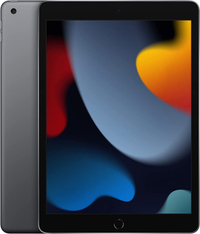
This ninth-generation iPad packs a faster A13 Bionic chip, an upgraded selfie camera, and a True Tone display, among other small changes.

Best all-purpose
While Android's tablet app selection still leaves a bit to be desired, if you are looking for a tablet for content consumption, web browsing, and light productivity work (so about 95% of tablet usage) then the OnePlus Pad is an excellent choice.

Best for casual users
If you like the idea of a tablet for watching and listening to content, surfing the web, occasional gaming, and managing your smart home tech the Pixel Tablet is absolutely unbeatable.

Best mid-range
The iPad Gen 10 has a larger 10.9-inch display, a dramatically improved quad speaker setup, the newer A14 Bionic chipset, and upgraded cameras. It's also worth noting that standby time is excellent, so light users could make it a week on a charge.

Best for power users
Equipped with an M2 processor, a mini-LED (XDR) display, and 5G support, no other tablet on the market will get you as complete of a package as the iPad Pro.
Load the next tablets

Best Android tablet
The Samsung Galaxy Tab S8 and the Samsung Galaxy Tab 8+ both have excellent cameras: a 13MP main camera and a 6MP secondary ultra-wide lens. On the front is a 12MP selfie camera.

Best under $500
The Lenovo Duet 5 Chromebook (also called the Lenovo IdeaPad Duet 5 Chromebook) is a successor to the super popular Lenovo Chromebook Duet. Its 13.3-inch display definitely pushes the limits of what you would consider a tablet.

Most portable tablet
The iPad mini's outstanding performance via the A15 Bionic chip is more than most anyone will need, and the addition of optional 5G support cements its place as the best tablet for use outside of your home.

Best mid-range Android
The Lenovo Yoga Tab 11 packs all the hardware you’d need, including a 2K screen and an octa-core processor, whether you’re looking for your next binge-watching machine or an on-the-go workstation.
Best tablet overall
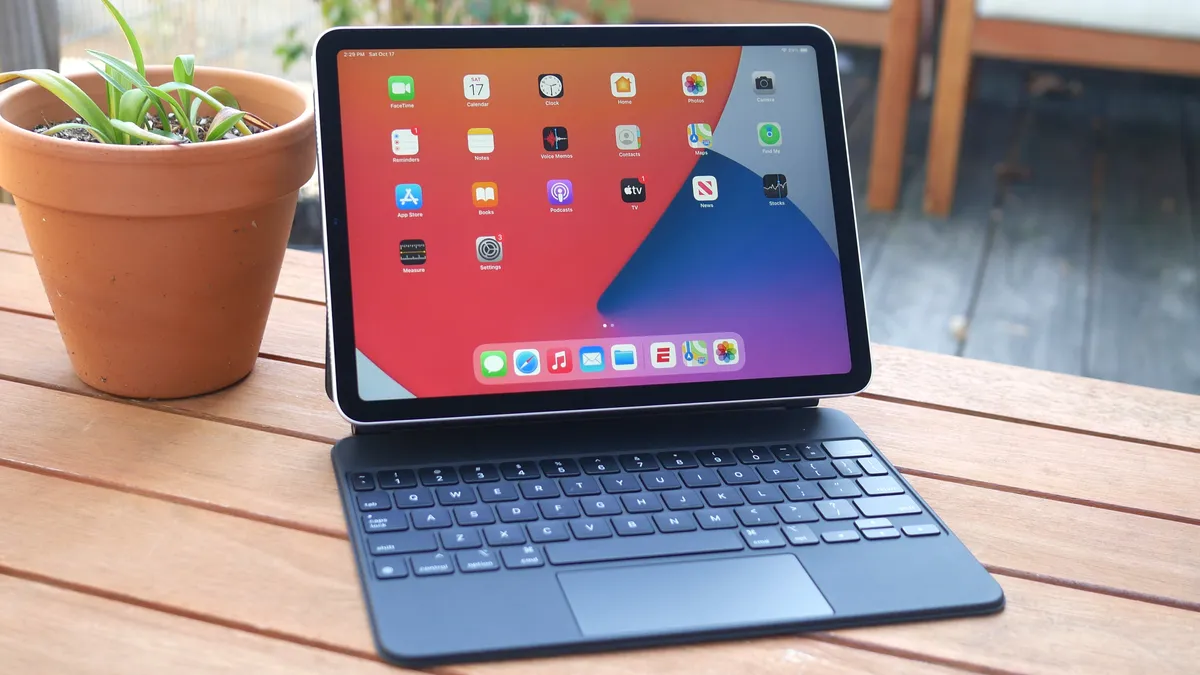
The iPad Air 5 wasn't a revolutionary update from its predecessor, but with the addition of the M1 chip and 5G it is an outstanding tablet that will last you for years. It has a 10.9-inch Liquid Retina display with thin display bezels for a portable and modern iPad design.
Under the hood is the M1 chip, the same SoC found in the iPad Pro and even the MacBook Air and MacBook Pro 13-inch. Needless to say, this is more than enough performance for any of your tablet needs. Despite this ample power it still delivers excellent battery life at 10 hours and 9 minutes in our Laptop Mag battery test.
Apple stuck to the $599 price point for the iPad Air, making it nearly double the cost of the iPad, but $200 less than the 11-inch iPad Pro. With support for the Apple Pencil Gen 2 (with magnetic wireless charging on the side) and the Magic Keyboard accessory, the Air is potentially compelling laptop replacement.
See our full iPad Air 4 review.
Best cheap tablet
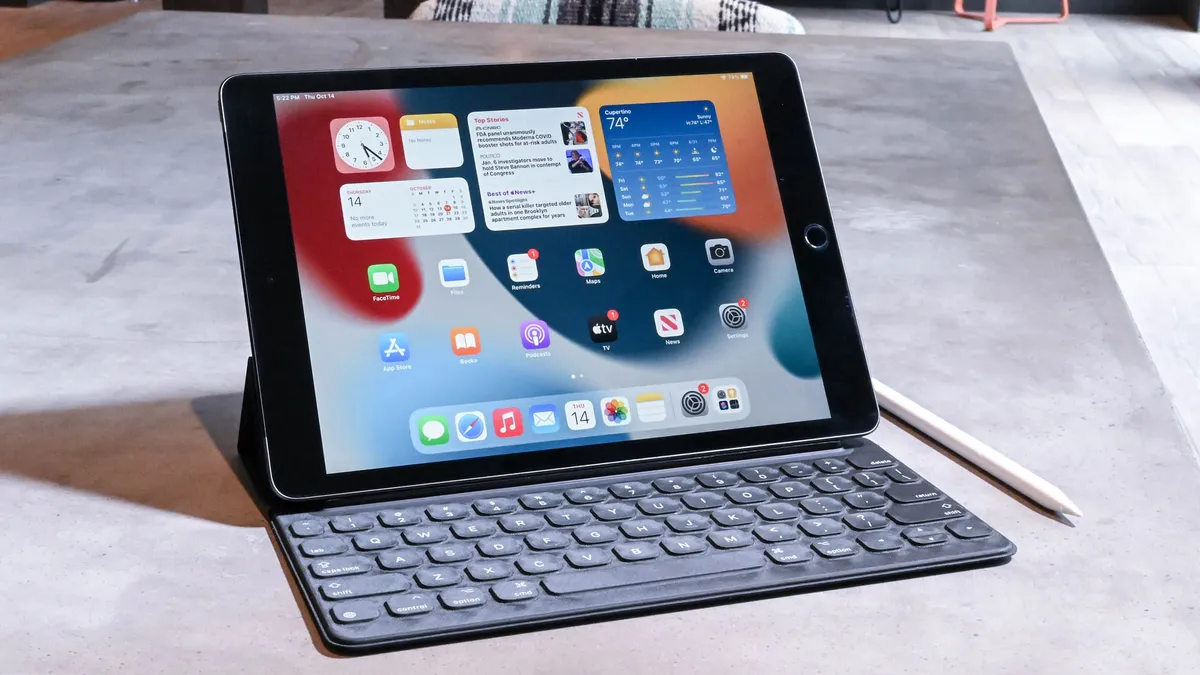
The ninth-generation iPad remains in the lineup to keep that $329 starting price for the iPad, and it remains a fantastic choice for those looking to save money. The A13 Bionic chip is still outstanding and the upgraded selfie camera, and True Tone display, among other small changes keep it feeling modern and relevant.
While there are enticing additions to the pricier iPads, if you aren't going to be a power user or are looking for an affordable iPad for a child, the iPad Gen 9 is still unbeatable as a budget tablet thanks to its good display, excellent build quality, and reliable performance.
Read our full Apple iPad Gen 9 review.
Best Android tablet for most people

The OnePlus Pad would be the most interesting new Android tablet in years almost by default, but it also happens to be a great tablet that costs less than $500. We were blown away by its outstanding 13.5 hours of battery life and the gorgeous 2,800 x 2,000-pixel 144Hz display.
The MediaTek Dimensity 9000 chip inside was surprisingly powerful, it churned through every app, game, and multi-tasking productivity hoop that we set in front of it. If you are looking for more of a laptop experience you can connect up the magnetic keyboard and the Stylo lets you get creative with sketching or if you prefer handwriting to typing.
While Android's tablet app selection still leaves a bit to be desired, if you are looking for a tablet for content consumption, web browsing, and light productivity work (so about 95% of tablet usage) then the OnePlus Pad is an excellent choice.
Read our full OnePlus Pad review.
Best Android tablet for casual users

The Google Pixel Tablet is the most interesting new tablet in years as it doesn't set out to be an iPad killer, but instead carves out a new niche for itself as a hybrid smart display and tablet.
For casual tablet users, this should have tremendous appeal as it gives your tablet a purpose even when you aren't actively using it, so you don't feel like you spent $500 on a device that you only pick up occasionally. On its charging speaker dock the Pixel Tablet is essentially a Nest Hub, offering you all of the typical Google Assistant features, smart home functionality, and excellent audio output.
Remove the Google Pixel Tablet from its dock and it is an excellent Android tablet with almost 12 hours of battery life, powerful performance, a bright display, and stellar software support. That last one is where even the best Android tablets typically fall down, so it's a crucial benefit for the Pixel Tablet.
If you like the idea of a tablet for watching and listening to content, surfing the web, occasional gaming, and managing your smart home tech the Pixel Tablet is absolutely unbeatable.
See our full Google Pixel Tablet review.
Best mid-range iPad

The standard iPad got a massive overhaul last year to match the new squared-off look of Apple's devices along with the move to USB-C from Lightning like the iPad Pro and Air. The bad news is that these upgrades also pushed the starting price of the iPad Gen 10 up to $449, rather than the $329 of year's past. If you missed it you'll see the iPad Gen 9 still on our list above as Apple kept it around to maintain that cheaper starting price.
So beyond the design and the USB-C port, what does the extra $120 get you? The iPad Gen 10 has a larger 10.9-inch display, a dramatically improved quad speaker setup, the newer A14 Bionic chipset, and upgraded cameras.
On the downside its battery life fell by about an hour, but at 10 hours and 57 minutes in our Laptop Mag battery test, it's still plenty to get you through at least a day or two of use. It's also worth noting that standby time is excellent, so light users could make it a week on a charge.
The price hike was disappointing, but the iPad Gen 10 is more of an iPad Air Jr. than a true budget tablet, so it's understandable and worth the price of admission if you want most of the high-end iPad features without spending over $500.
See our full iPad 10.9-inch Gen 10 review.
Best tablet for power users

The 12.9-inch iPad Pro is the best tablet for power users that don't want the complexity of Windows. Equipped with an M2 processor, a mini-LED (XDR) display, and 5G support, no other tablet on the market will get you as complete of a package as the iPad Pro.
Software improvements have been a big part of the last couple of iPad updates. Apple added cursor and trackpad support to make the iPad Pro is a true laptop replacement for some users. You can connect any Bluetooth mouse, wireless trackpad (like the Magic Trackpad 2) or the Magic Keyboard and use a cursor to navigate iPadOS with even more advanced features are coming soon in iPadOS 16.
Another great new feature is support for Thunderbolt 3 and USB4 so you can transfer files faster than ever or connect to multiple 4K monitors. There is also a new software magic trick called Center Stage that keeps you in the frame of a video during conference calls when using supported platforms (FaceTime, Zoom). Yes, the iPad Pro is expensive, at $1,099 starting, but you won't find a better tablet on the market.
Read our full Apple iPad Pro 12.9-inch (2022) review.
Best Android tablet

The Samsung Galaxy Tab S8 series is easily the best the Android tablet market has to offer when it comes to high-end iPad competition. These tablets deliver outstanding battery life, gorgeous displays and all three models include Samsung's excellent S Pen in the box.
The Samsung Galaxy Tab S8 and the Samsung Galaxy Tab 8+ both have excellent cameras: a 13MP main camera and a 6MP secondary ultra-wide lens. On the front is a 12MP selfie camera. The Galaxy S8 Ultra matches its siblings on the back but adds a secondary 12MP ultra-wide camera on the front.
While all three are impressive tablets in their own right, the S8 Ultra stands apart with its massive 14.6-inch 120Hz Super AMOLED display that dwarfs the 12.9-inch iPad Pro. The S8 and S8+ come in at 11-inch and 12.4-inches, respectively.
If you are looking for an affordable Android alternative to the iPad keep scrolling down as there are a number of compelling options, but if you are an Android (or Samsung) fan that wants a tablet that can be a laptop replacement or simply go toe-to-toe with the Apple's best the Galaxy Tab S8 series is the clear choice.
Read our full Samsung Galaxy Tab S8 review
Best Android tablet under $500

This Chromebook blew our mind! The Lenovo Duet 5 Chromebook (also called the Lenovo IdeaPad Duet 5 Chromebook) is a successor to the super popular Lenovo Chromebook Duet. Now its 13.3-inch display definitely puts it at the top end of what you would consider a tablet, but if you are looking for something mostly to use around the house or as a laptop replacement it's perfect.
Three features might sell you on the Duet 5. One is that it lasted for nearly 14 hours in our battery test! 13 hours and 31 minutes to be exact, which easily outlasts just about any other tablet on this list. That's madness! Next is its bright, vivid OLED display. Whether you're watching Netflix, Hulu, HBO Max, or any other streaming platform, you can enjoy visual eye candy at any time of day. Finally the price, its full price is just under $500 and you can often find it for around $400.
And while it is a touch unwieldy if you want to carry it around as a tablet, we were impressed by its versatile, detachable 2-in-1 design; it comes with a fabric rear case and a keyboard cover. The only downside is that a stylus isn't included in the box with the Lenovo Duet 5 Chromebook, but you can always purchase the Lenovo USI Pen separately.
See our full Lenovo Duet 5 Chromebook review.
Best small tablet
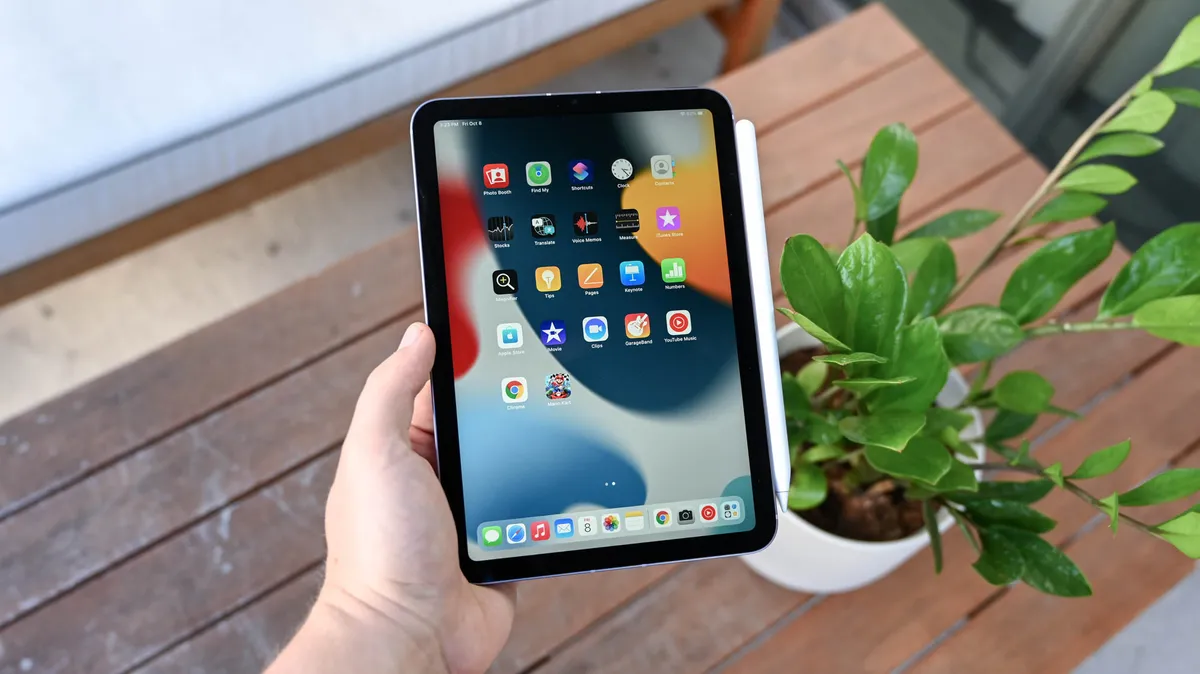
Apple improved every aspect of this pint-sized slate for 2021. The 8.3-inch screen is larger than before, and yet, slim bezels have reduced its overall footprint. The iPad mini's outstanding performance via the A15 Bionic chip is more than anyone will need, and the addition of optional 5G support cements its place as the best tablet for use outside of your home.
There are some downsides to going with the iPad mini beyond its small screen (which is an advantage for some people). At $499, the iPad mini is expensive, and while compatibility with the $139 Apple Pencil Gen 2 is welcome, the accessory costs extra.
In the end, Apple did exactly what it needed to do to breathe new life into the iPad mini, an excellent all-around tablet whose pint-sized chassis makes it a joy to have at home or on the go.
Read our full iPad mini (2021) review.
Best mid-range tablet

The Lenovo Yoga Tab 11 looks like no other tablet. For one, it’s not a single seamless slate of metal and glass. Though the rest of the device is slim, it has a bulbous tube-shaped bottom where two of its quad speakers and the battery are located. That’s not all: On the back, that tube extends into an integrated hanger-like kickstand you can pull out to prop up or “hang” the tablet however you wish. It’s a unique design we haven’t seen in this space before, and Lenovo hopes it’s enough to draw you away from the iPad and other competition.
Apart from that, the Lenovo Yoga Tab 11 packs all the hardware you’d need, including a 2K screen and an octa-core processor, whether you’re looking for your next binge-watching machine or an on-the-go workstation. It’s priced competitively, starting at $280, and though there are places where Lenovo has cut corners, the Yoga Tab 11’s spec sheet is still impressive.
How to choose the best tablet for you
Choosing the right tablet requires the same thought process as buying a laptop. As with any product, the first thing you need to decide is your primary use for a tablet. If it's to browse the web on the couch or watch Netflix in bed, then you don't need to spend $1,000 on the iPad Pro. You're probably better off with the $329 iPad or even the $400 Surface Go — both of which have excellent displays.
If you need a tablet that can double as a laptop, then your best options are the iPad Pro or the Surface Pro 8 — tablets that can be paired with an attachable keyboard and support trackpad/mouse input. Both of these devices provide plenty of power for even the most demanding users.
The size of the tablet is another consideration. While it might not sound like it, a 12.9-inch tablet feels massive in the hand. If you want something less unwieldy, consider a tablet with a screen that is 10 inches or below. Almost all tablets are thin and lightweight but few have good connectivity options. The Surface tablet stands out in this regard, offering two USB-C ports and a headphone/mic jack.
How we test tablets
Our tablets go through rigorous benchmark testing before they even land in the hands of our reviewers. Our test vary slightly based on which OS the tablet runs, but the overall performance and graphics of almost all tablet is measured by the Geekbench 5 benchmark.
We also use a fancy colorimeter to quantify display quality. The device can measure the sRGB color range a display captures and the average brightness across the panel.
Our battery test gives an accurate measure of everyday runtimes. To test the endurance of a tablet, we set the display to 150 nits then run a continuous loop consisting of web browsing and video playback until the device powers off.
Why trust Laptop Mag
Laptop Mag reviews over one hundred different laptops every year, from paperweight ultralights to everyday workhorses to lumbering gaming notebooks that scorch the frame rates of even the hottest AAA games. We're not just experts in the laptop field, as we go one step further by meticulously testing smartphones, tablets, headphones, PC accessories, software, and even the latest in gaming.
We are 100% independent and have decades of experience to help you buy with confidence. In fact, Laptop Mag has been testing and reviewing products for three decades, and we continue to deliver trustworthy reviews you can rely on.
Our experienced team of writers and editors scour the available information about the laptop and put it through its paces to determine which is best for you. But before they start, the testing team subjects each system to a rigorous regimen of synthetic and real-world tests to see how a system handles the type of work and games you’re most likely to throw at it.
Our editorial trustworthiness is enforced by one of the world's largest technology publishers, Future Publishing. As a company, we have unrivaled experience across every tech sector — and we're the group's specialist for all things mobile tech.